
How do I paste text without layout ?
How do I paste text without layout ?
— By using a shortcut all text formatting will be the same.
cmd, opt, shift, v
A text block or a heading already has formatting, therefore it is important to paste it without.
Tips 'n tricks
If you do not use this shortcut to paste text without layout it will appear differently than the other text on the website.

How do I make a telephone number clickable ?
How do I make a telephone number clickable ?
— Make a telephone number clickable so that a separate window appears that connects you trough the owner of the telephone number.
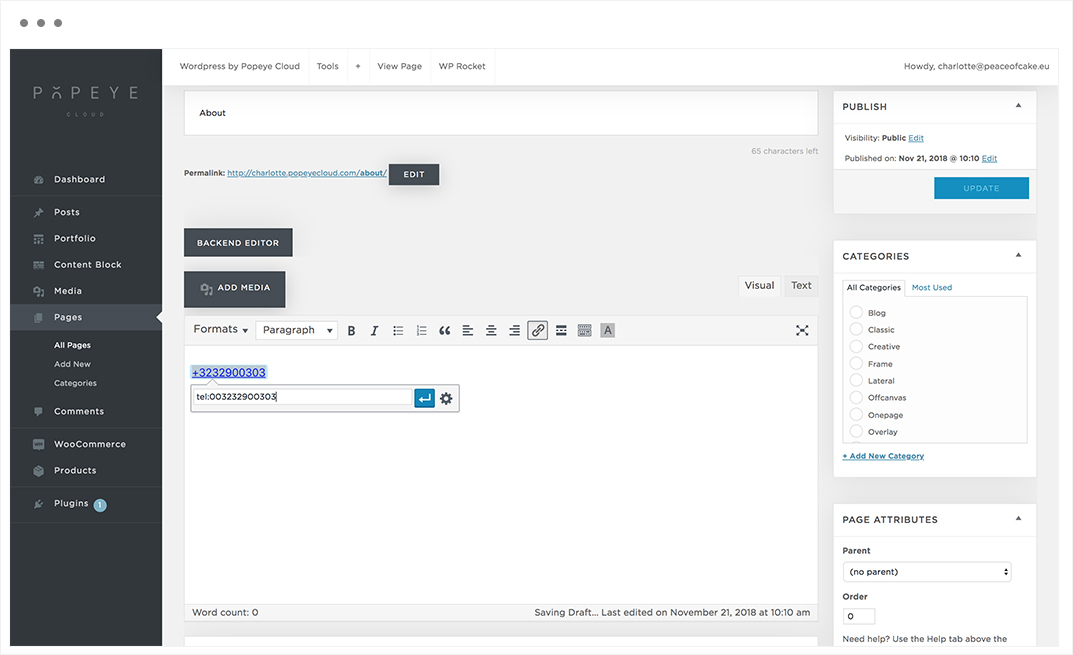
Select the text -> click on the link icon, enter the full cultivation number including country code without spaces preceded by “tel:” in lower case letters. To confirm, press the apply button -> save changes.
Tips 'n tricks
Click on the blue arrow "APPLY" to confirm the telephone number.
How do I make an e-mail address clickable ?
How do I make an e-mail address clickable ?
— Make an e-mail address clickable so that a separate window appears by clicking on the e-mail address.
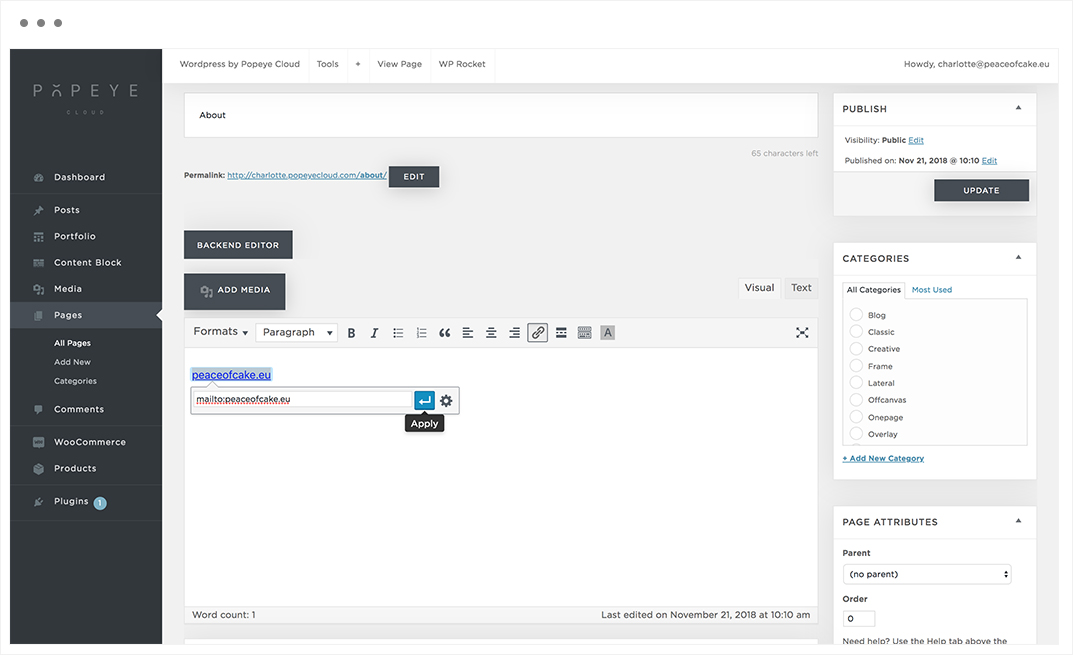
Select, click on the link icon and enter the e-mail address without spaces, preceded by the word: “mailto:” enter the e-mail address. To confirm, press the apply button -> save changes
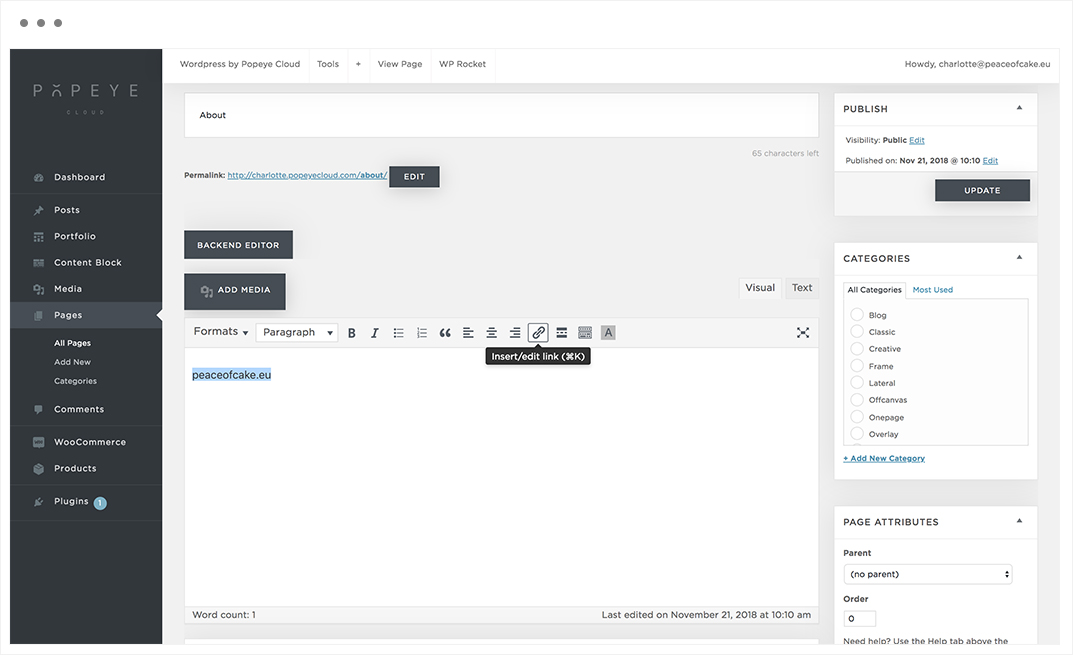
Tips 'n tricks
Click on the blue arrow "APPLY" to confirm the e-mail address.
How to I hide a post ?
How to I hide a post ?
— Set the publish settings on private.
Go to posts -> select the post you want to set private.
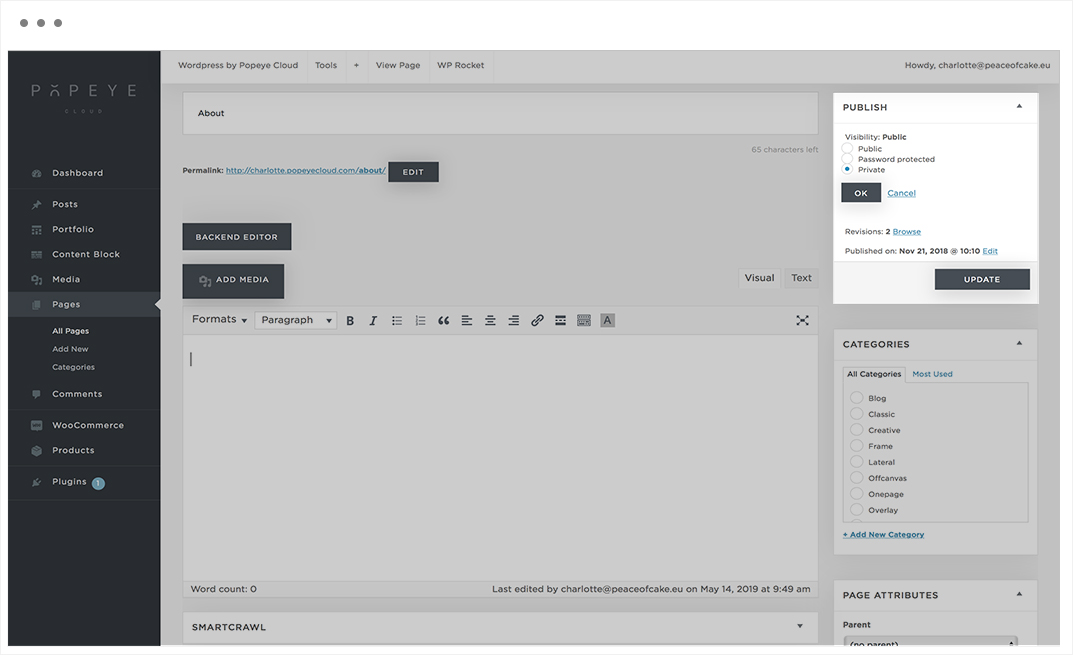
On the right side publish -> Visibility
The default is ‘public’.
Choose edit, now you have three options:
- Public
- Password protected
- Private
Tips 'n tricks
When you made the adjustments, do not forget to choose 'OK' and then 'UPDATE'.
How do I edit the logo of my website ?
How do I edit the logo of my website ?
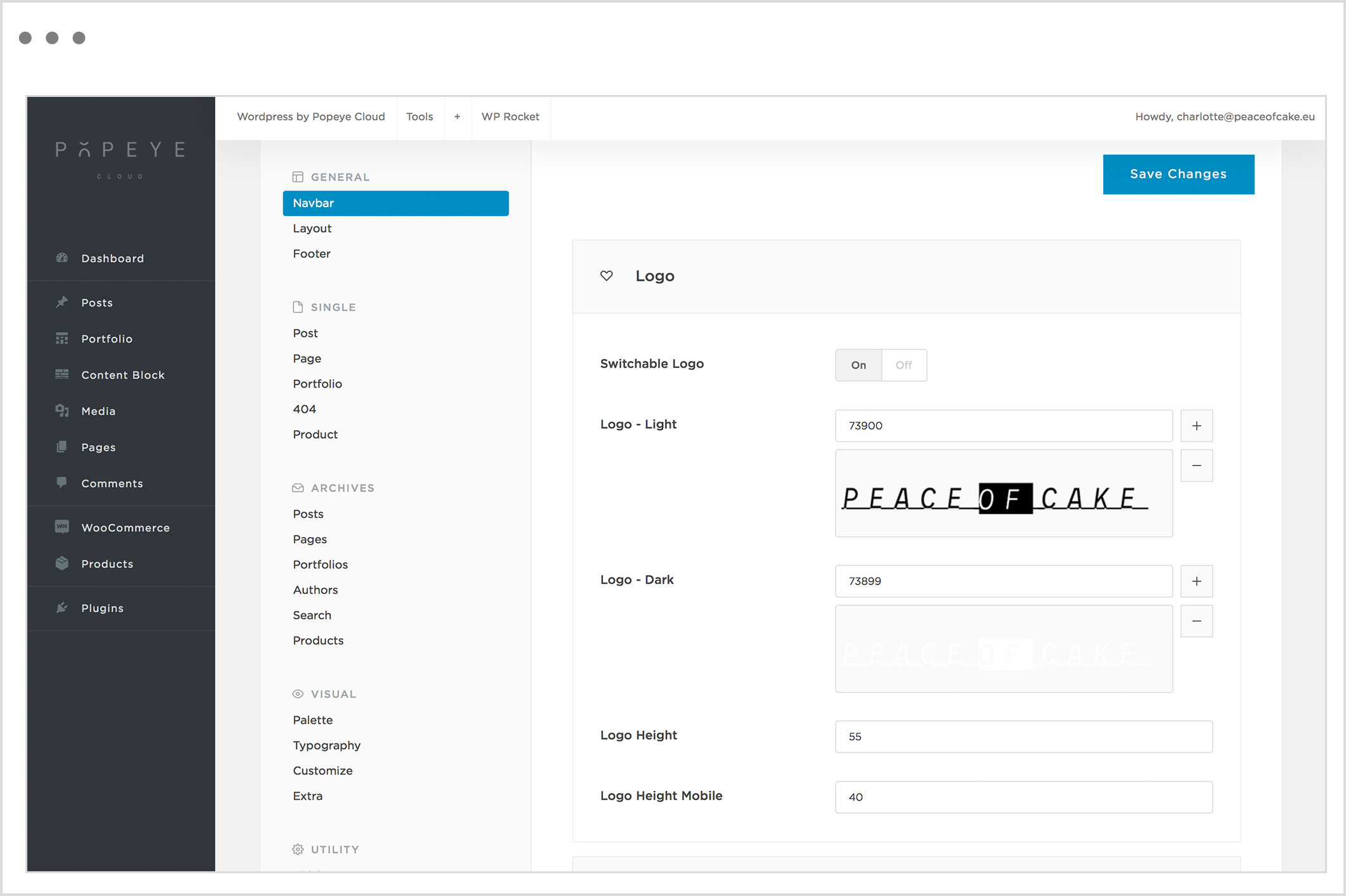
— Edit the logo of your website in the theme options.
Wordpress by Popeye Cloud -> Theme options -> navbar
-> logo
When switchable logo is activated, you have to insert 2 different logo’s (light and dark). When switchable logo is deactivated, choose the dark version of the logo.
You can upload a logo for the light skin (in case you have a light background) or upload a logo for the dark skin (in case you dark a light background).
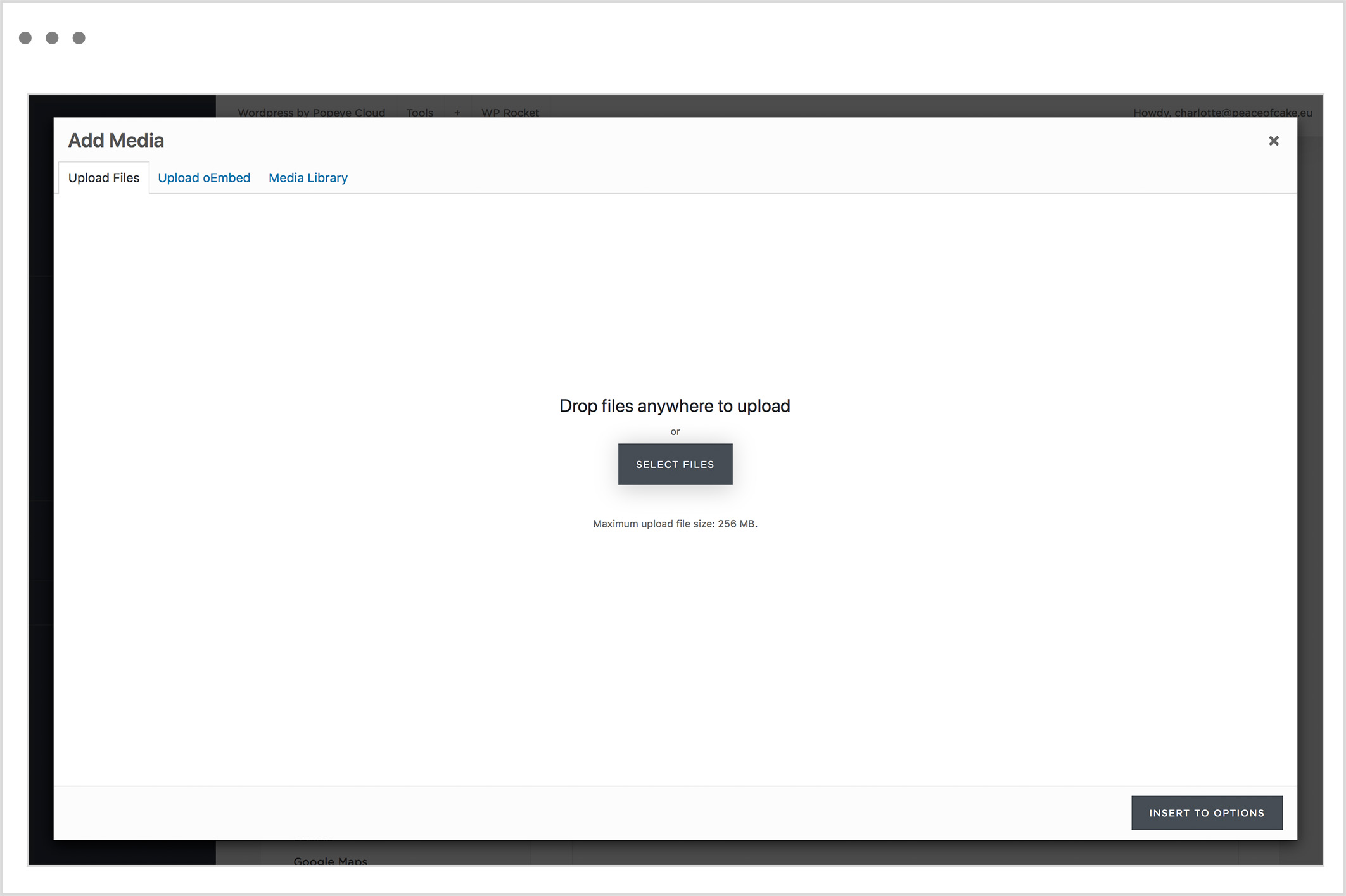
Choose the ‘+’ symbol to upload files or select a photo in the media library.