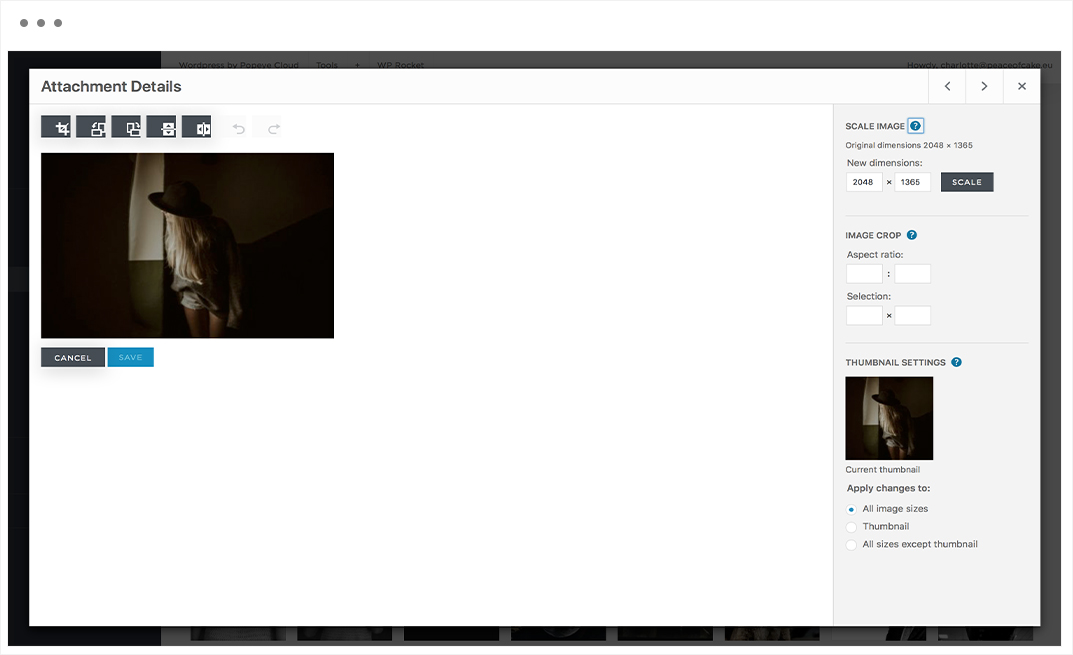

How do I hide a low-stock notifications ?
How do I hide a low-stock notifications ?
— Learn all about product options.
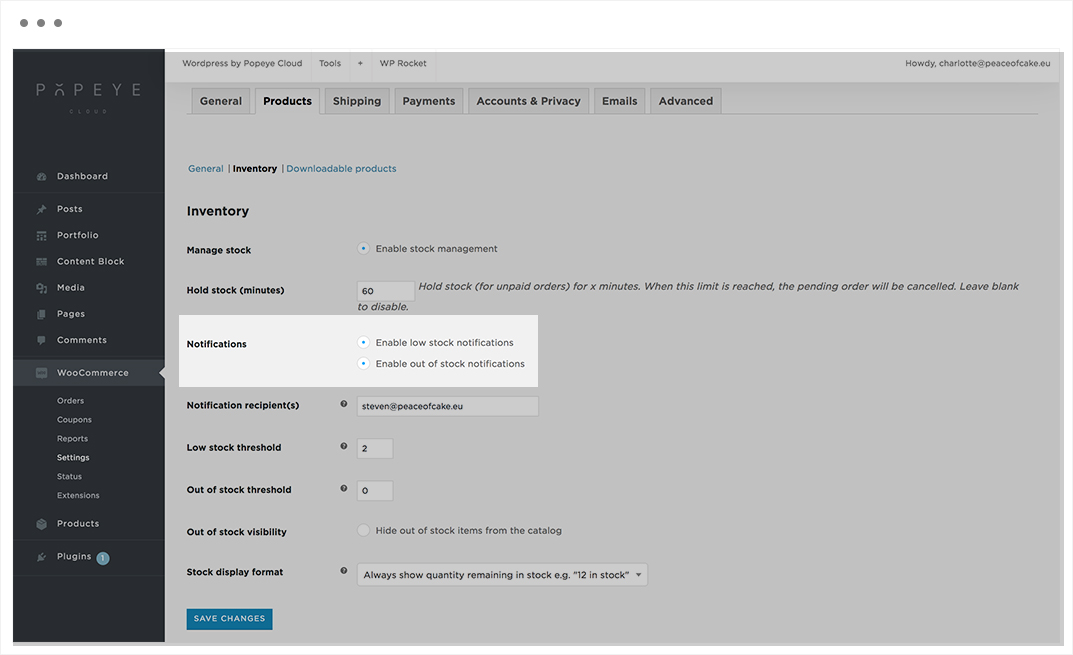
Choose Woocommerce in the side bar -> settings -> products -> inventory
By notifications:
- Enable low stock notifications
- Enable out of stock notifications
Tips 'n tricks
Set this notification instead of deleting the product. When the product is available again you can switch off this notification instead of adding the product again.

How do I set the default sort order for a product list ?
How do I set the default sort order for a product list ?
— Learn everything about product sorting.
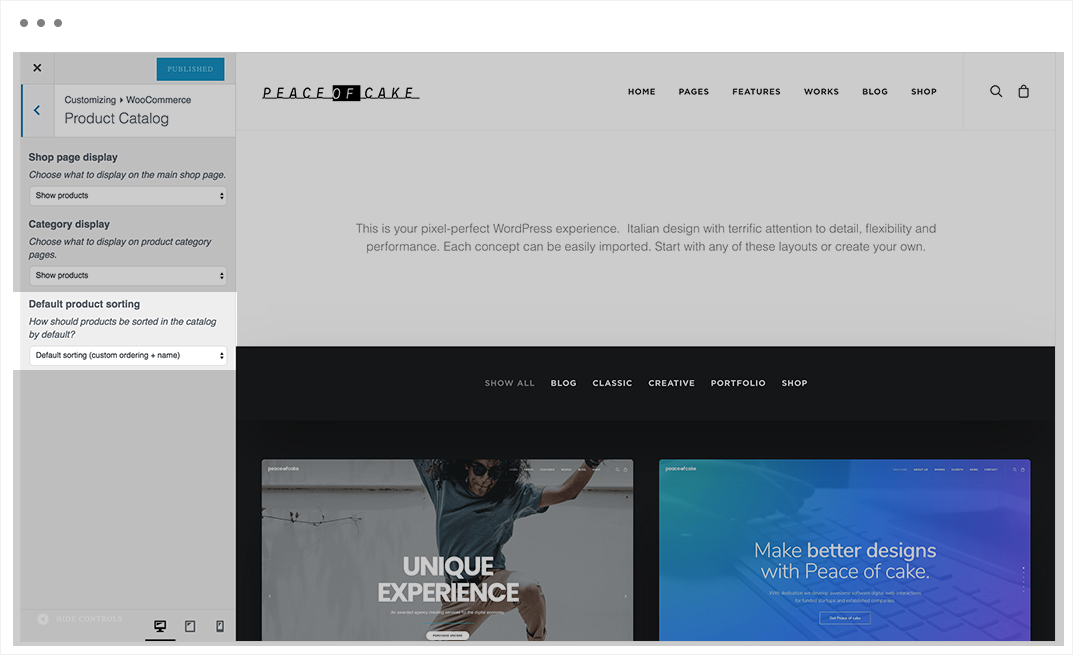
Go to Wordpress by Popeye Cloud-> Homepage settings -> Woocommerce -> product cataloge
You find the default product sorting here.
Tips 'n tricks
Define how products should be ordered. Default sorting consists of custom ordering + name.
What are cross sell products ?
What are cross sell products ?
— Learn everything about cross sell products.
The cross-sells products are displayed in the shopping cart.
Tips 'n tricks
Lorem ipsum dolor sit amet, consectetur adipiscing elit, sed do eiusmod tempor incididunt u
What are upsell products ?
What are upsell products ?
— Lear everything about upsell products.
The upsells products are displayed at the bottom of the product.
Tips 'n tricks
Lorem ipsum dolor sit amet, consectetur adipiscing elit, sed do eiusmod tempor incididunt u
How do I add a product category ?
How do I add a product category ?
— Learn everything about product categories.
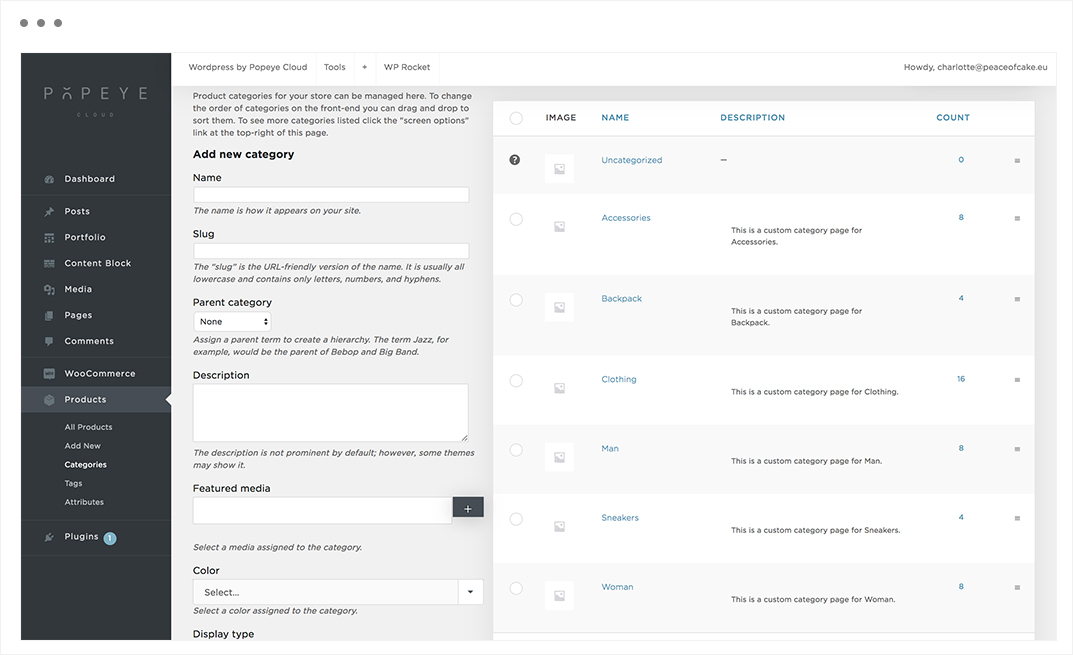
Choose in the side bar ‘products’ -> categories.
Enter all information and description properties.
Tips 'n tricks
Add as many descriptions and photos of the product as possible. In this way the customer has a clear view of the product.
How do I add a product ?
How do I add a product ?
— Learn everything about how to add a product.
Choose ‘products’ in the side bar -> add new.
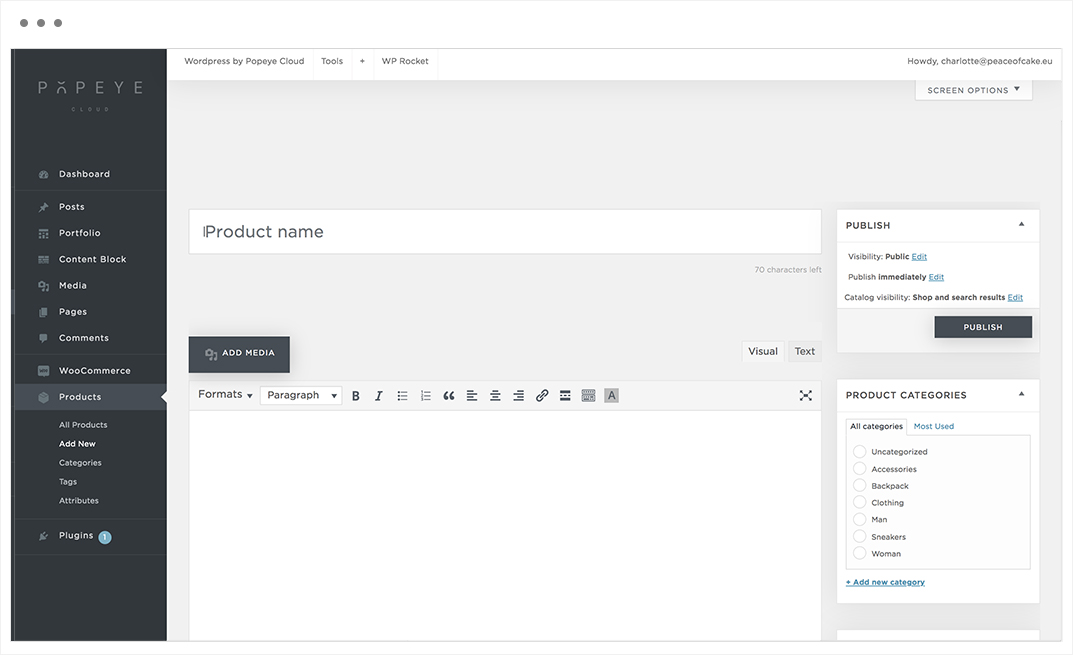
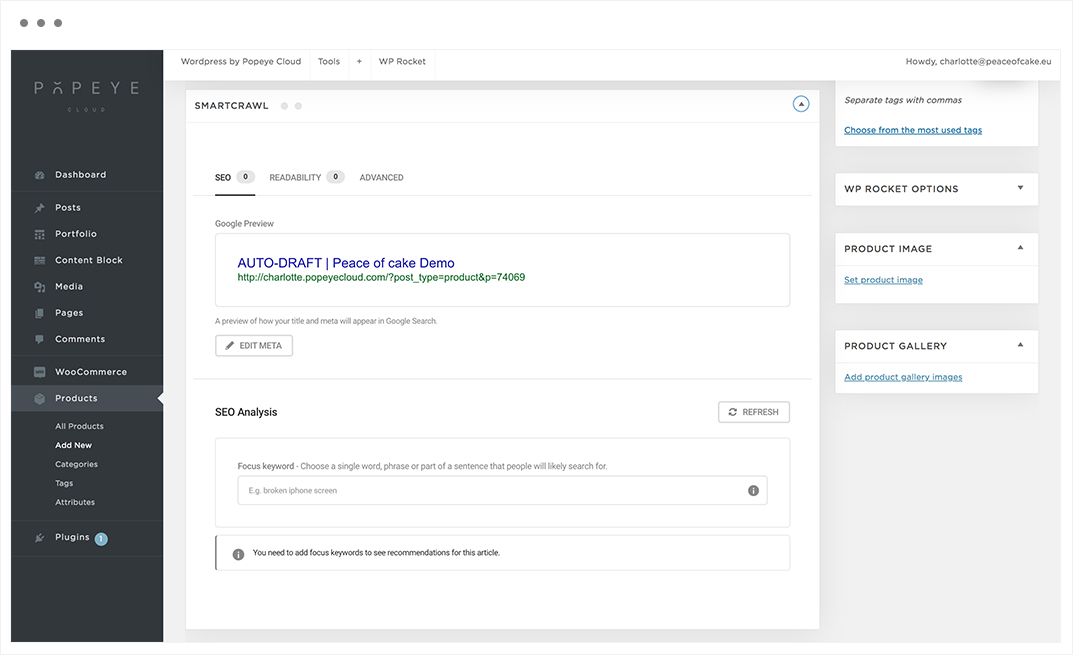
Enter a product name, an SEO title and description for your product .
Note: A preview of how your title and meta will appear in Google Search. How better the product name, how more people are likely to see in the google search.
Product date
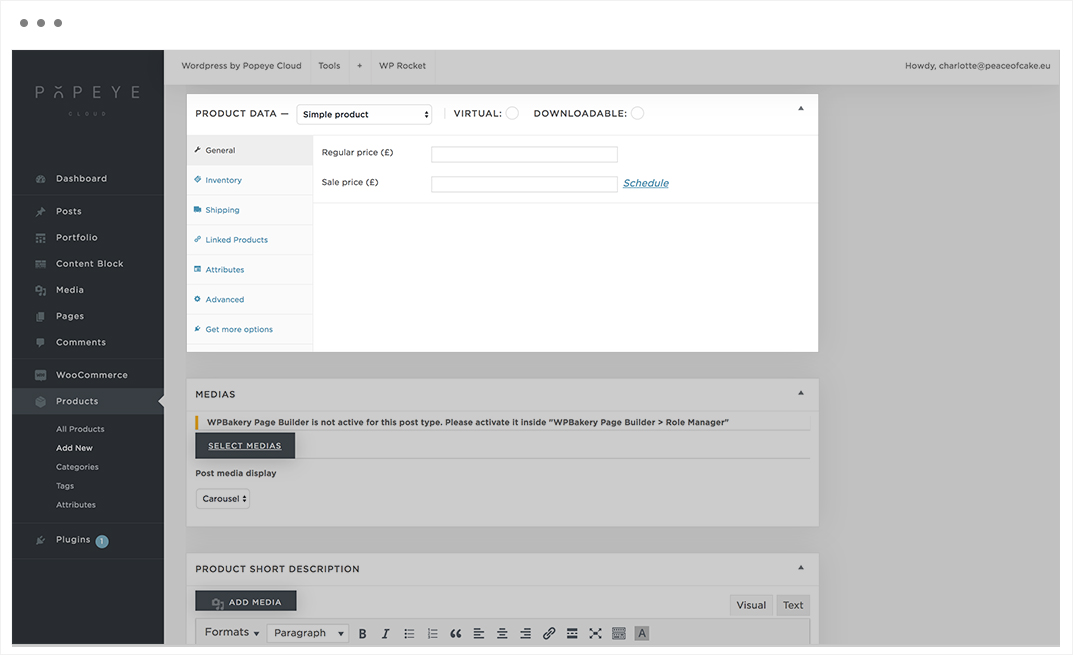
1.General
Add a product type at the top. In our case we select ‘simple product’. Enter a price, followed by a possible discount price. The sale price is the new price after deduction of the discount.
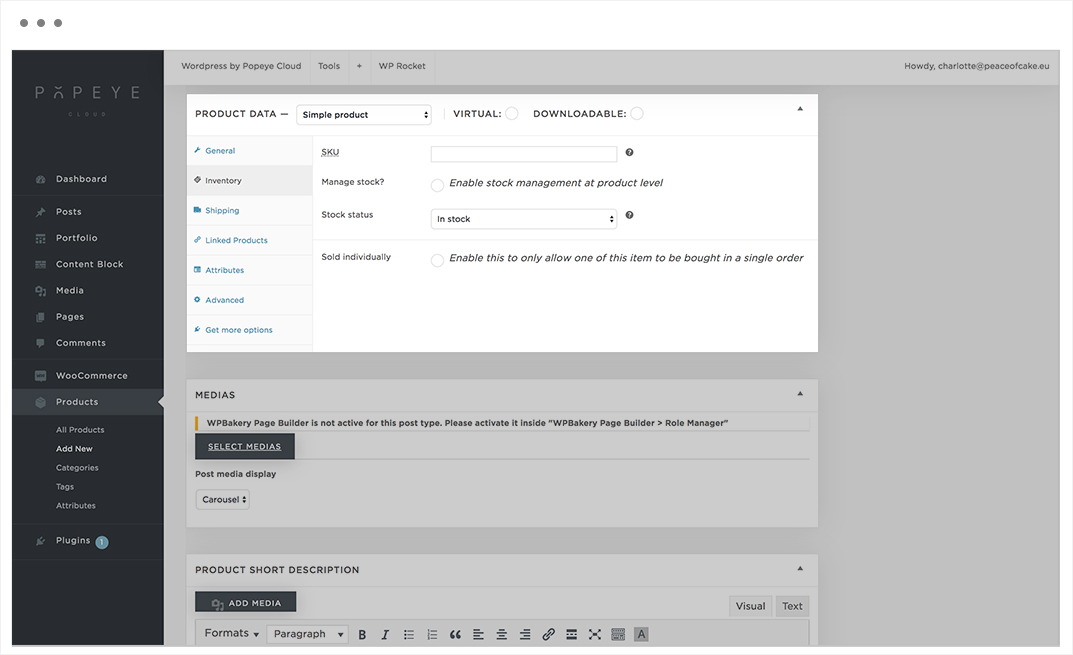
2.Inventory
You can enter a SKU code to manage your inventory. Indicate to manage the stock and to indicate the number of items in stock.
SKU: refers to a Stock-keeping unit, a unique identifier for each distinct product and service that can be purchased.
Stock status: controls whether or nat the product is listed as ‘in stock’ or ‘out of stock’ on the frontend.
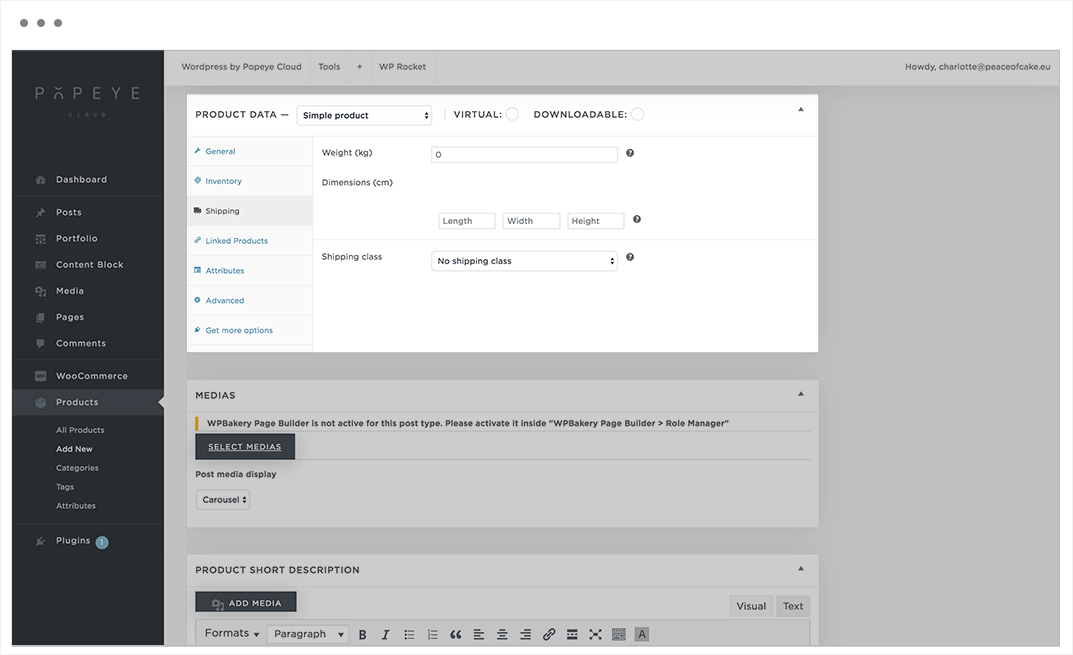
3.Shipping
Enter the shipping properties for the product.
4.Linked products
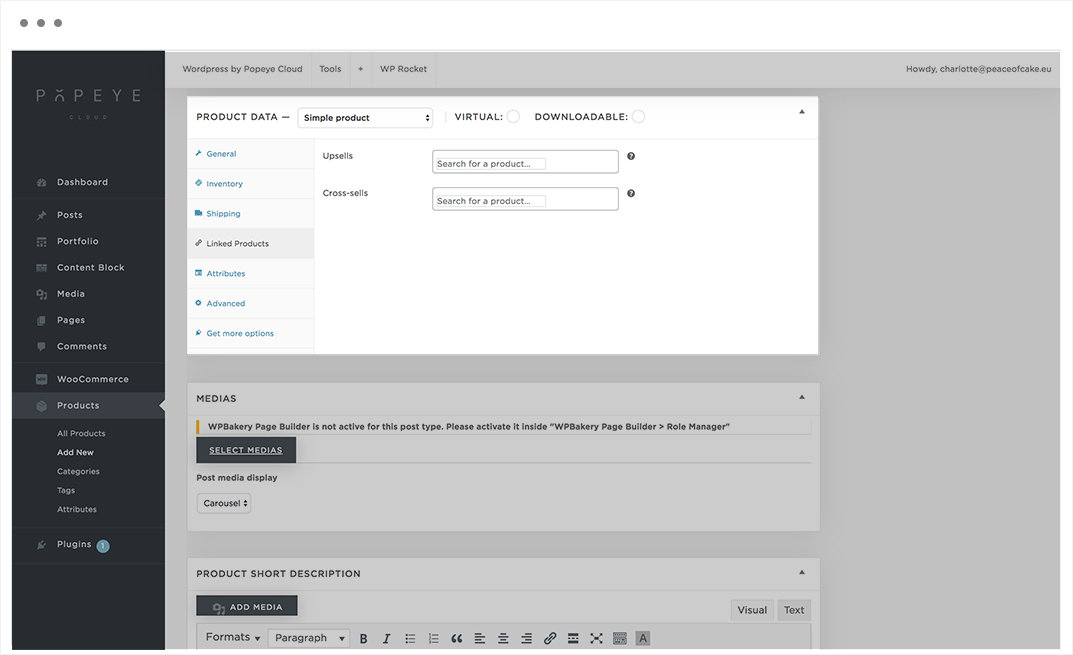
The upsells products are displayed at the bottom of the product and the cross-sells products are displayed in the shopping cart.
5.Attributes
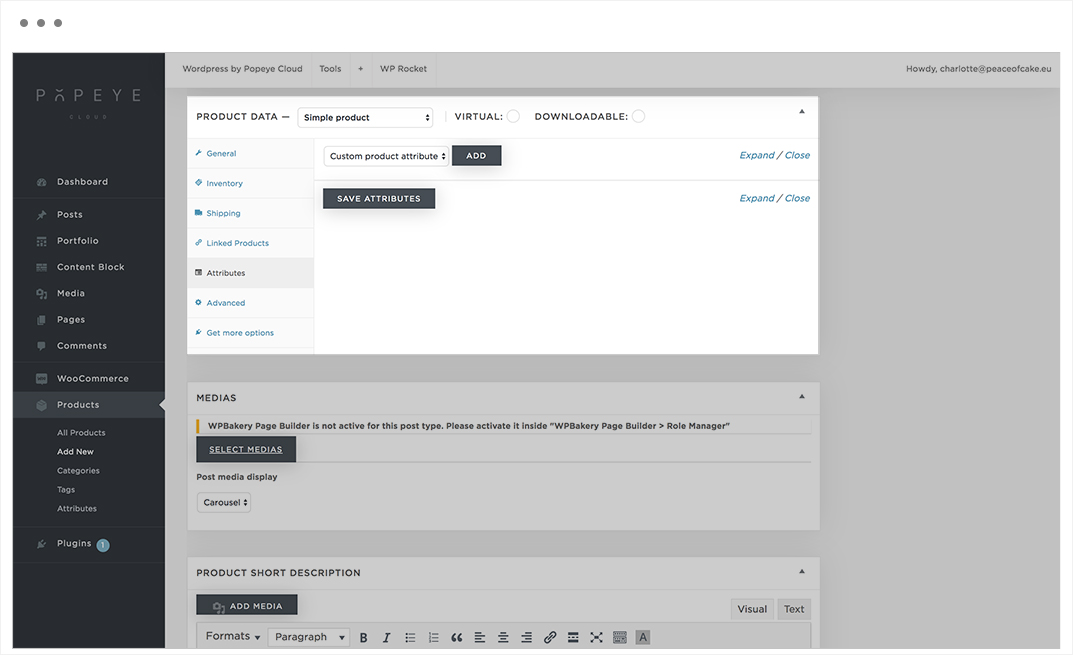
Are a powerful means to offer your product in different variants, eg size and color. Each attribute has its own product characteristics such as price, in stock, …
6.Advanced
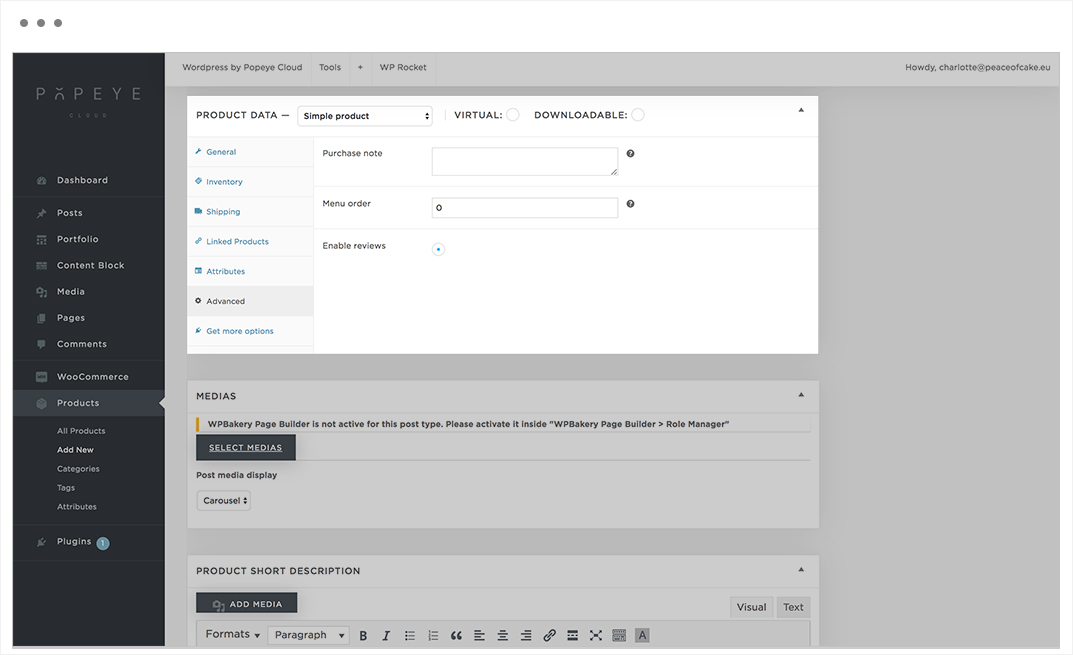
In this option you can switch reviews on or off for a specific product or automatically add a shipping invoice.
7.After this, enter the product short description.
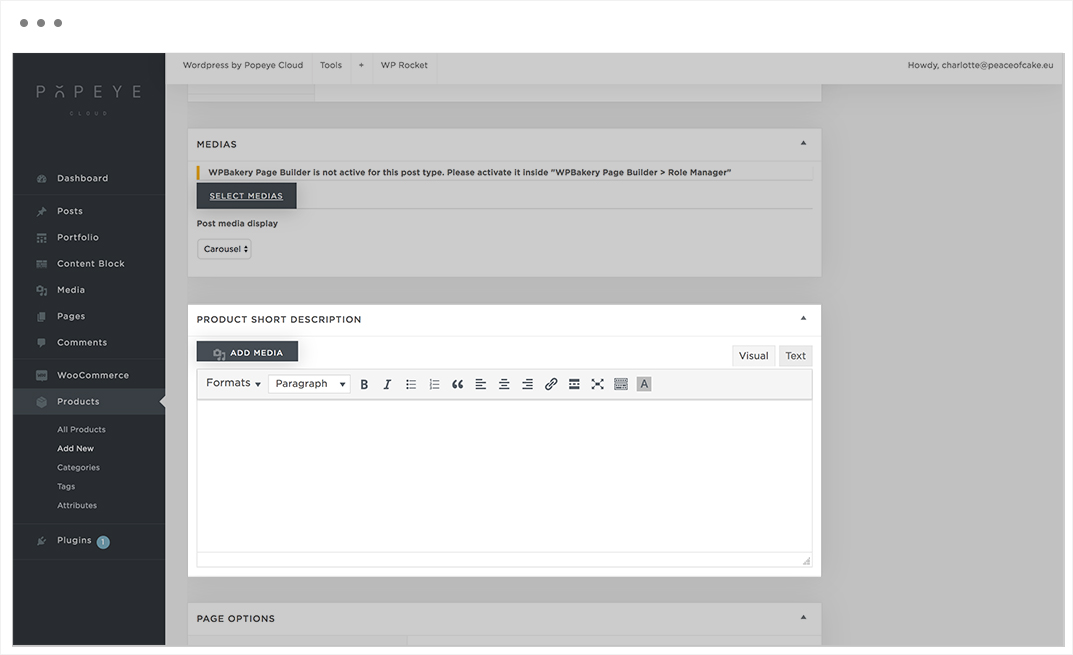
8. Afterwards you can indicate in the right column to which category the product belongs. If your category is not listed, you can add it by choosing ‘add new category’. This also applies to tags.
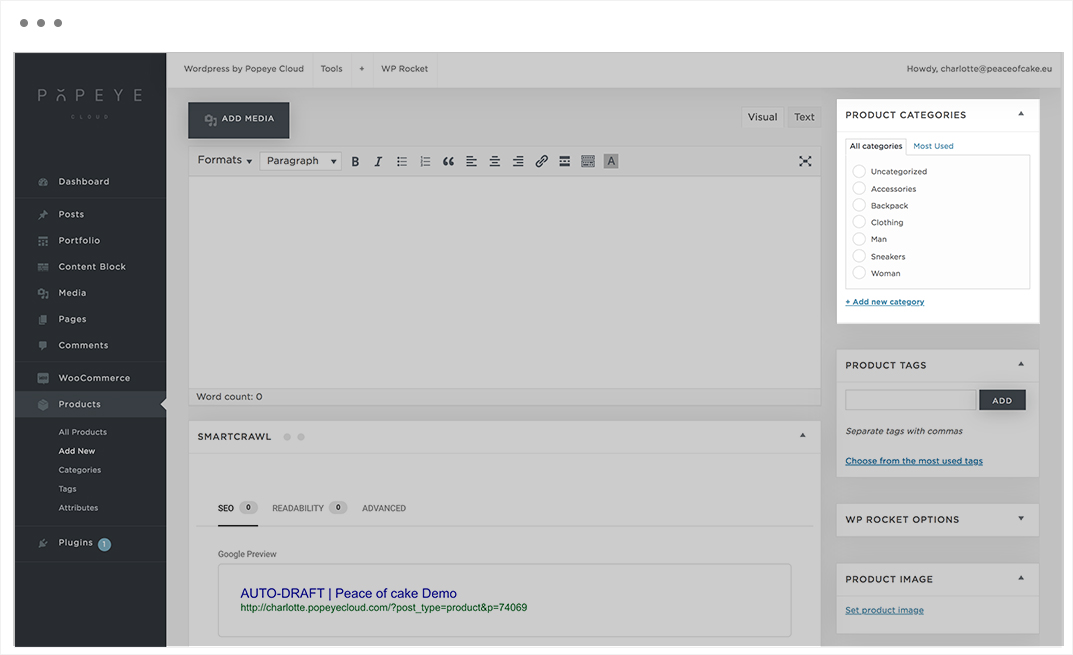
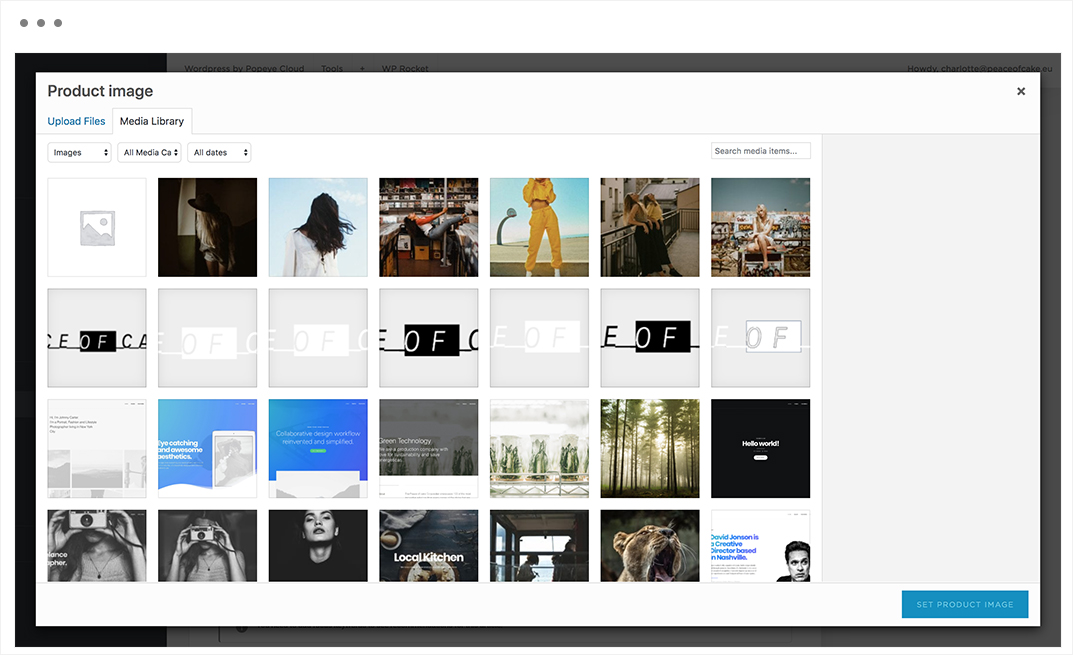
9. In the box of product image you can put the main image of the product that will be displayed in product overviews with multiple products.

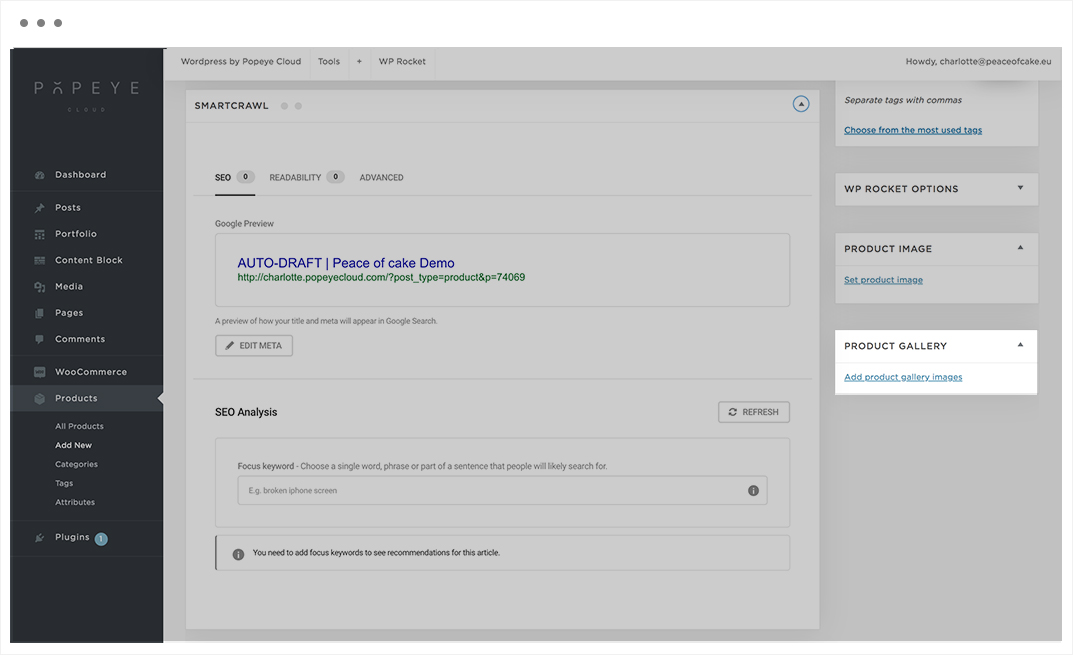
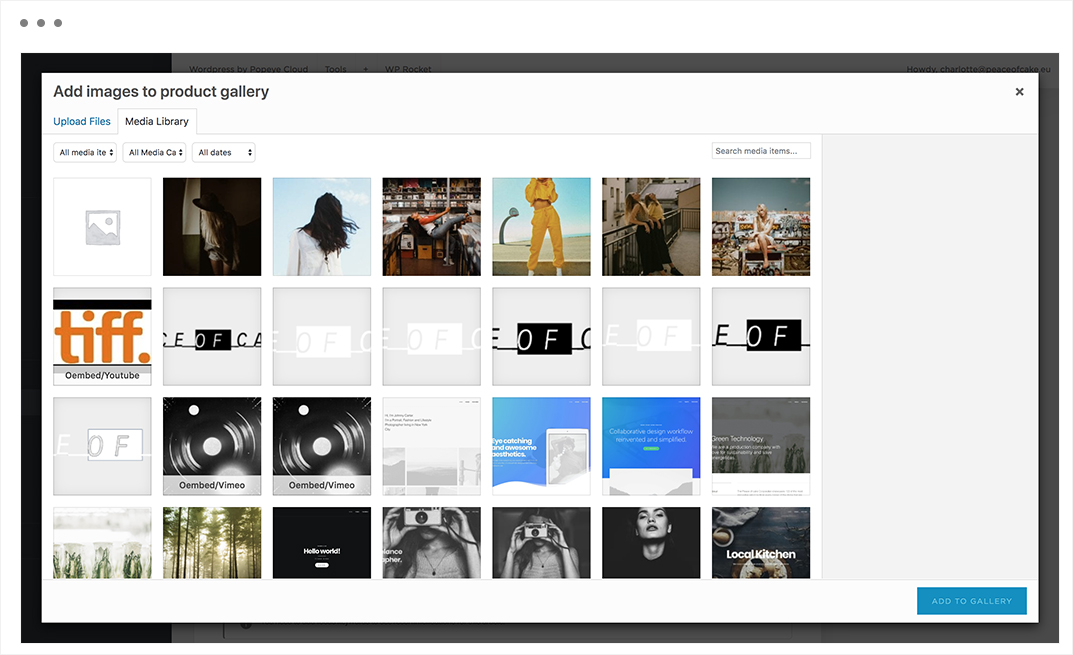
10. Finally, at product gallery you can add the photos of the product in a carousel, stack or isotope.
Tips 'n tricks
Add images that are as clear as possible to represent your products.
How do I add a blog post ?
How do I add a blog post ?
— Learn everything about blog posts.
Posts -> add new
Enter a blog post title and make all the adjustments you like (text, media,..).

After you made the adjustments, press “publish”.
Tips 'n tricks
Give your blog post a categorie and a tag to reach more readers.
The featured image is the image the reader gets to see first.
How do I add a portfolio project ?
How do I add a portfolio project ?
— Learn everything about portfolio projects.
Portfolio -> add new

Tips 'n tricks
After you made the adjustments, press "publish".
How do I add a photo to a slideshow ?
How do I add a photo to a slideshow ?
— Learn everything about the media features.
Media gallery -> edit -> add an image.
Go to the page builder where you find the media gallery. Press the ‘+’ sign to add photos.

Tips 'n tricks
You can add multiple images at the same time.When you made the adjustments, press "save".
How do I edit a photo ?
How do I edit a photo ?
— Learn everything about the media features.
Media
Add new to upload a new image or select a photo and choose edit image.
Now you can crop, resize, mirror, scale,.. the image.