
How do I edit a text ?
How do I edit a text ?
— Learn everything about the text properties.
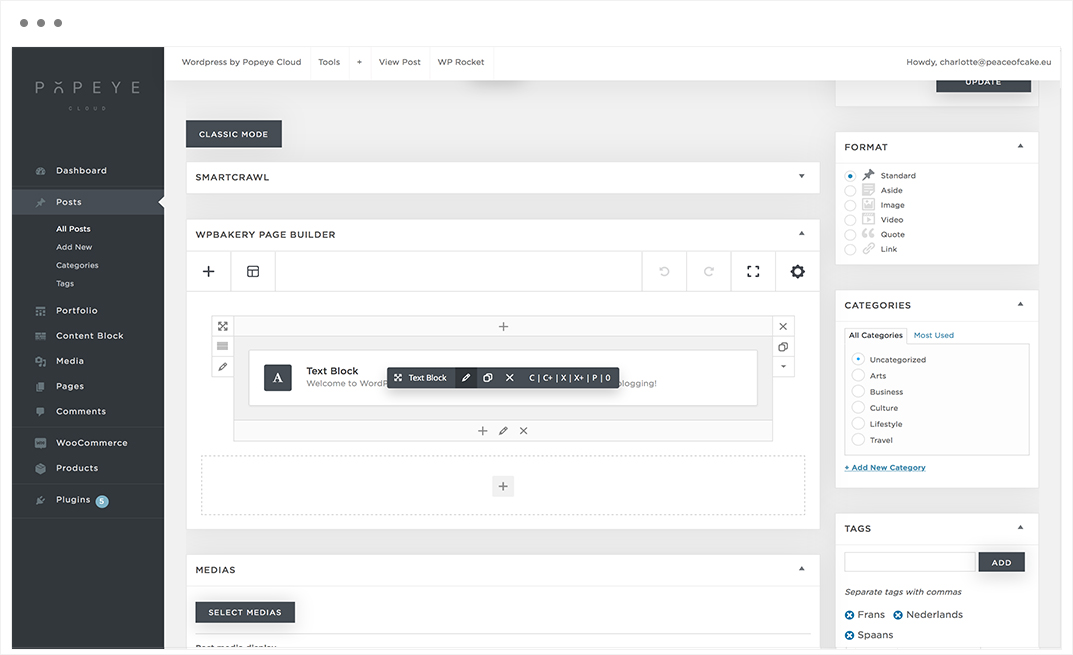
Hover over the text you want to edit (content block, header,…) A pencil symbool will appear: edit text.
Click on the symbol.
Tips 'n tricks
When you made the adjustments, click "save changes".

How do I add an extra field to my portfolio projects ?
How do I add an extra field to my portfolio projects ?
— Learn how to build your portfolio page.
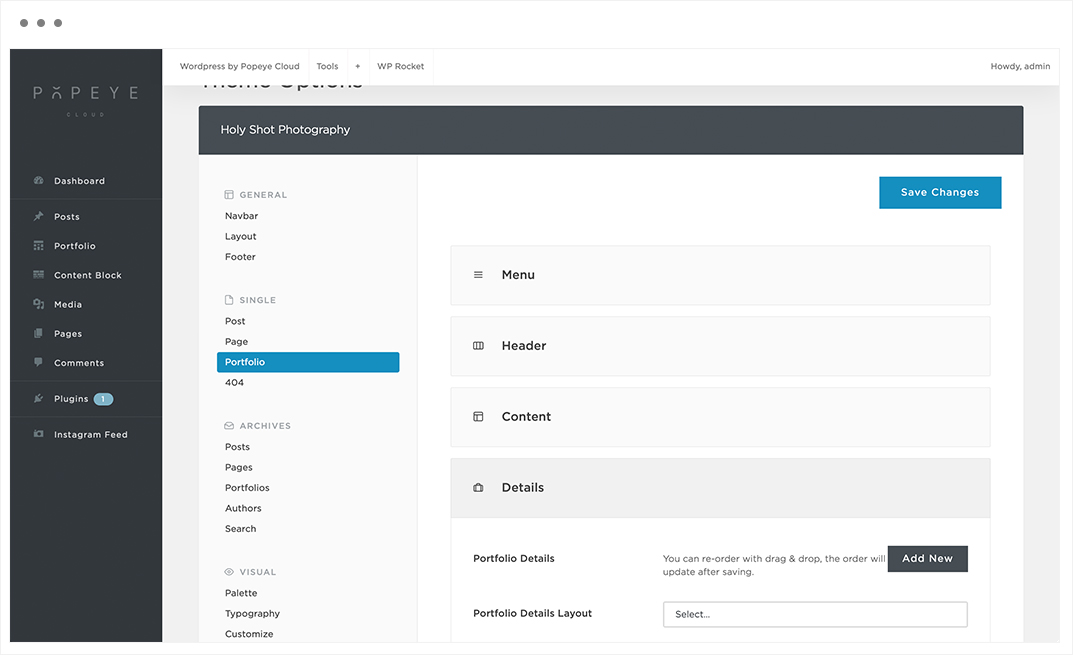
You can add portfolio details yourself again -> Dashboard -> Theme options -> Portfolio -> Details -> Portfolio Details as on the screenshot below.
After that you can set the value for this field for each portfolio project via: Edit Portfolio -> Page Options -> Details as on screenshot below.
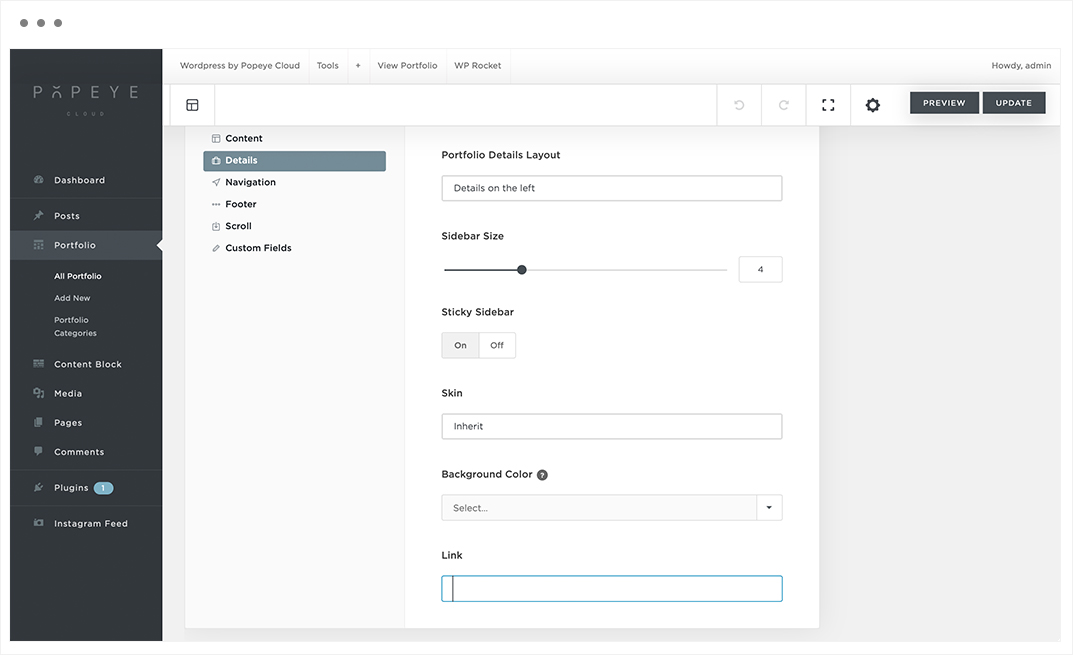
Here you can enter a clickable url that opens a new page, if you do not enter a portfolio detail, the label will not appear on the page either.
Tips 'n tricks
Portfolio archives has different properties then portfolio single.
What is the difference between dark and light skin ?
What is the difference between dark and light skin ?
— Dark and light skin is a important option in the theme options.
Light skin is used on light background image.
Dark skin is used on a dark background image. You can specify the text skin in the style tap of the column settings in the header content block.
As a result, the light skin will make your primary menu font color black and sets the logo to the one you have chosen in theme options navbar -> logo -> logo light. The same applies in the opposite way for the dark skin.
Tips 'n tricks
When you are confused using dark or light skin, think always the opposite. Dark skin for a dark background image and light skin for a light background image.
How do I copy code from a template to a blank page ?
How do I copy code from a template to a blank page ?
— By following these steps the code will be easily transformed to another page.
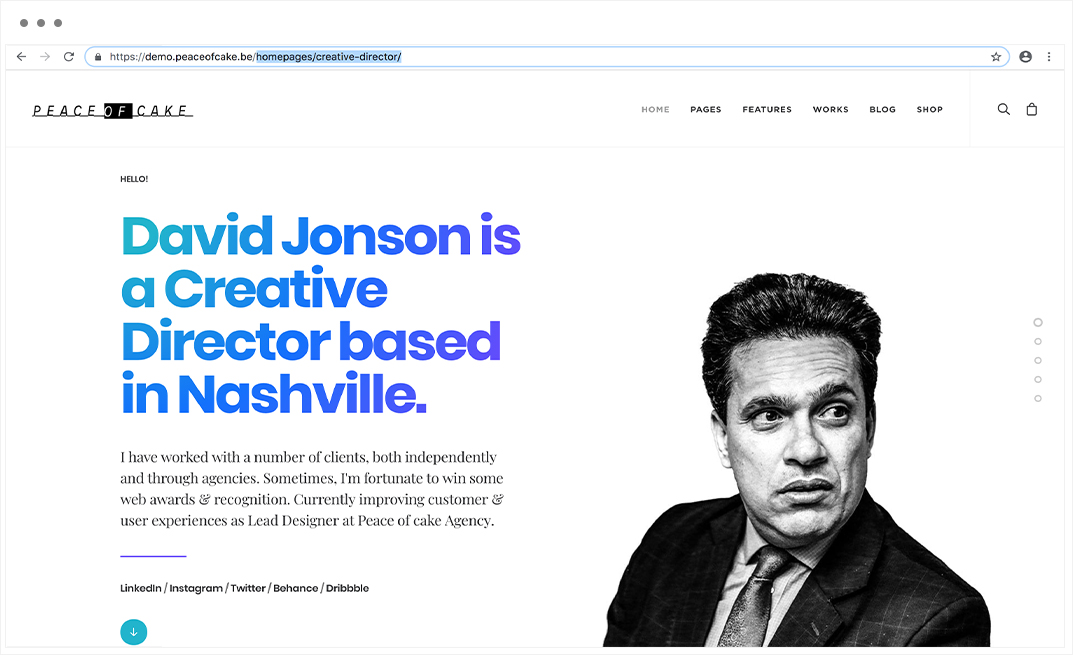
Step 1: Paste the link from the demo website behind the link from the website.
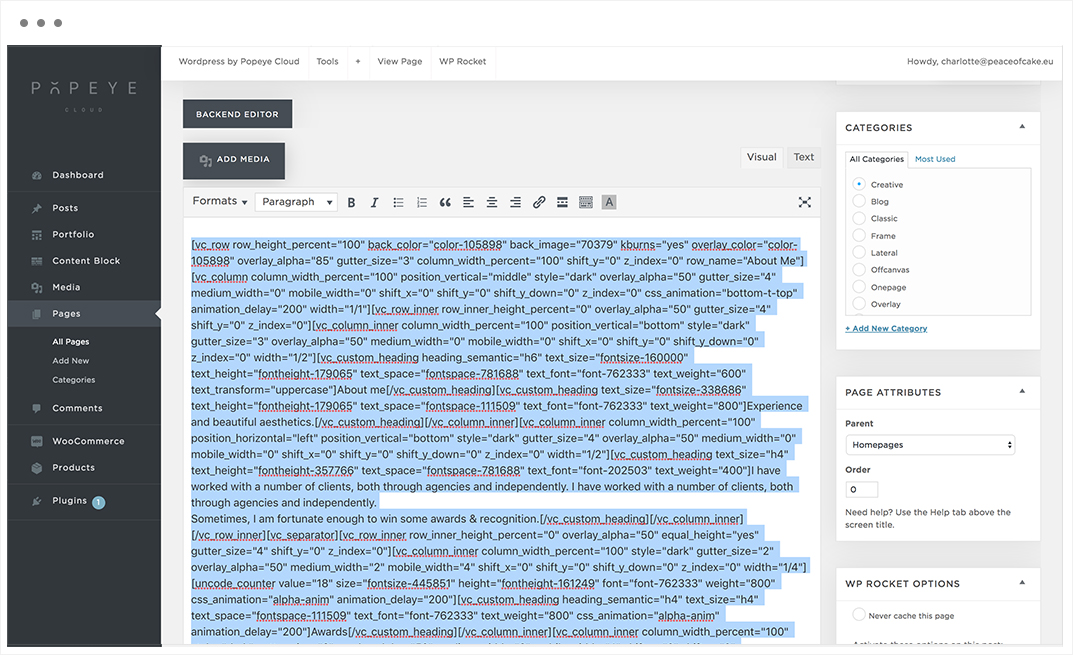
Step 2: Copy the code of the classic mode from the demo page to the classic mode of the new page.
Tips 'n tricks
Don't paste the code from the classic mode an a (different) demo page. After the website is finished the demo pages will be deleted. Make sure you start from a new page.
How do I paste text without layout ?
How do I paste text without layout ?
— By using a shortcut all text formatting will be the same.
cmd, opt, shift, v
A text block or a heading already has formatting, therefore it is important to paste it without.
Tips 'n tricks
If you do not use this shortcut to paste text without layout it will appear differently than the other text on the website.
How do I make a telephone number clickable ?
How do I make a telephone number clickable ?
— Make a telephone number clickable so that a separate window appears that connects you trough the owner of the telephone number.
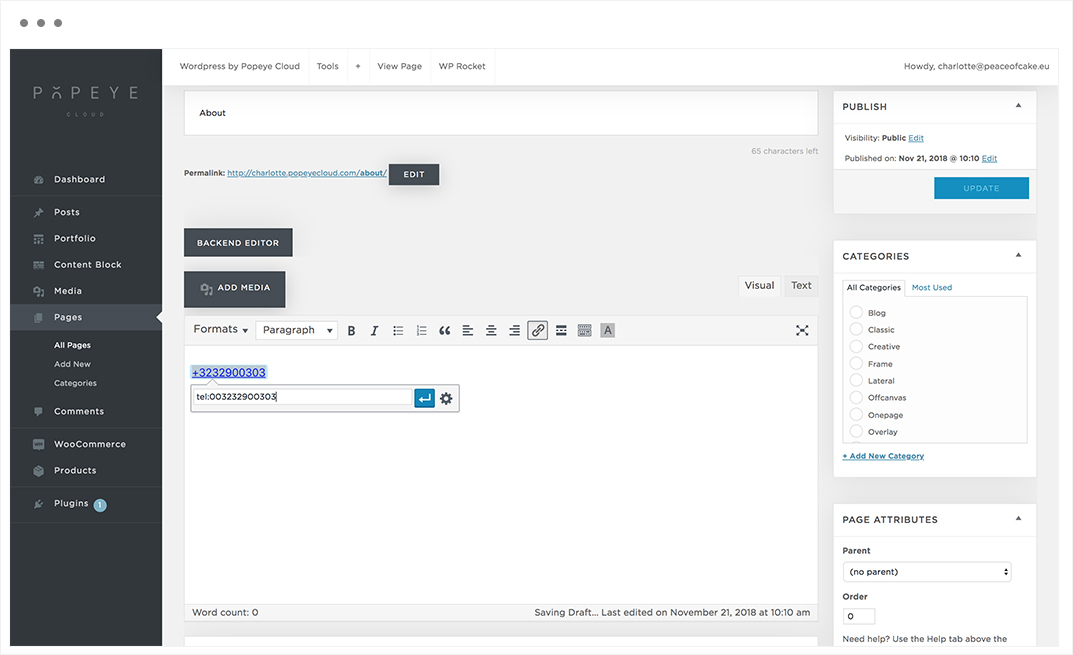
Select the text -> click on the link icon, enter the full cultivation number including country code without spaces preceded by “tel:” in lower case letters. To confirm, press the apply button -> save changes.
Tips 'n tricks
Click on the blue arrow "APPLY" to confirm the telephone number.
How do I make an e-mail address clickable ?
How do I make an e-mail address clickable ?
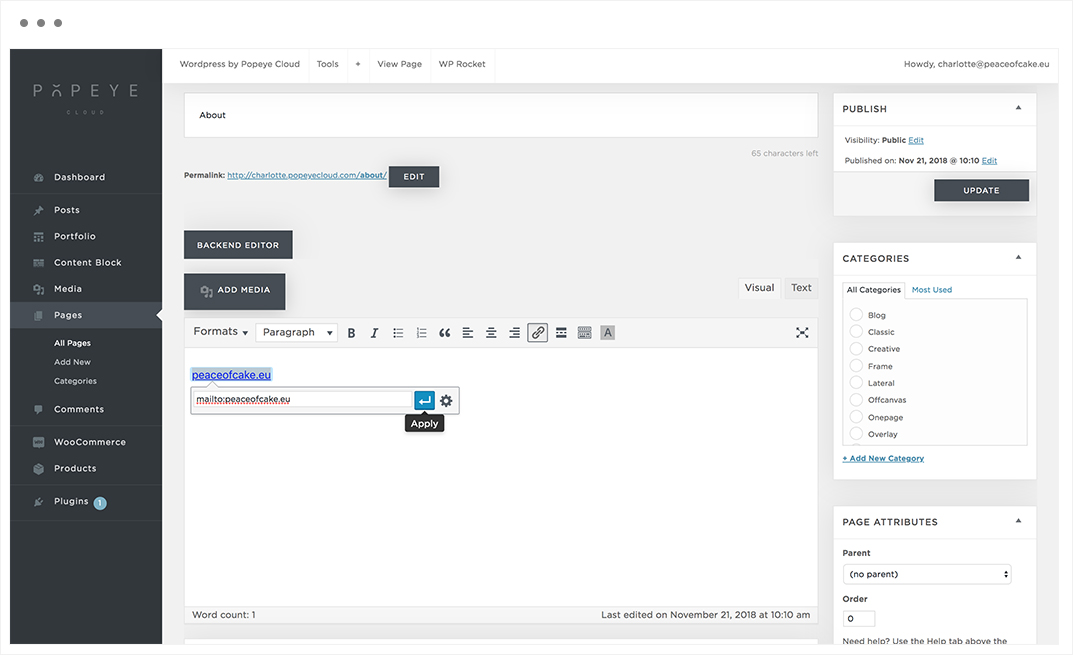
— Make an e-mail address clickable so that a separate window appears by clicking on the e-mail address.
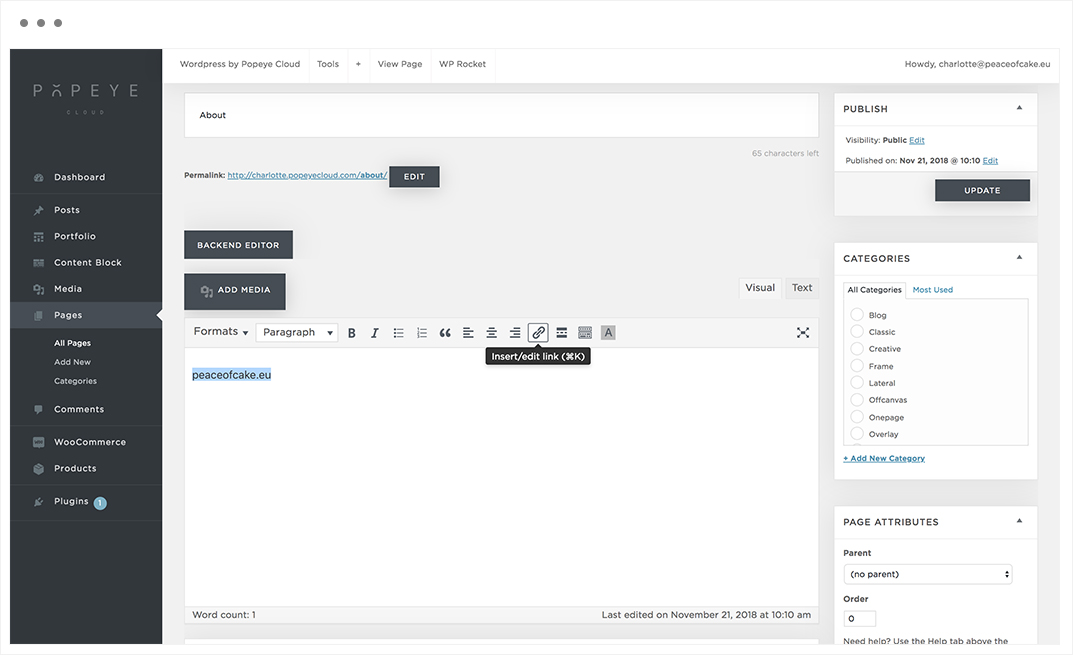
Select, click on the link icon and enter the e-mail address without spaces, preceded by the word: “mailto:” enter the e-mail address. To confirm, press the apply button -> save changes
Tips 'n tricks
Click on the blue arrow "APPLY" to confirm the e-mail address.
How to I hide a post ?
How to I hide a post ?
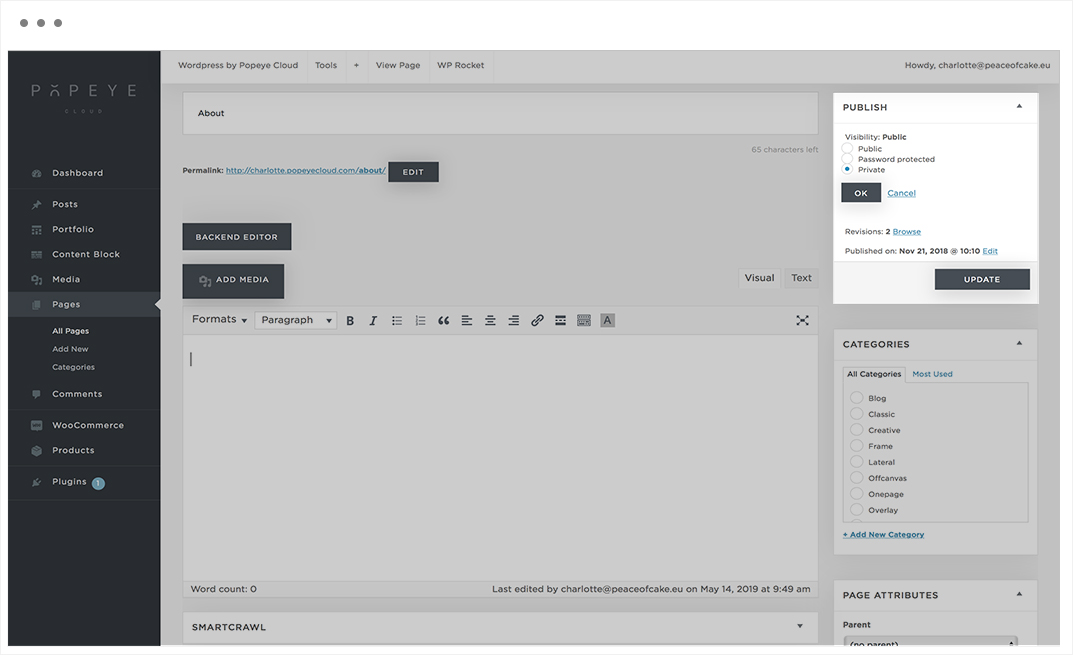
— Set the publish settings on private.
Go to posts -> select the post you want to set private.
On the right side publish -> Visibility
The default is ‘public’.
Choose edit, now you have three options:
- Public
- Password protected
- Private
Tips 'n tricks
When you made the adjustments, do not forget to choose 'OK' and then 'UPDATE'.
How do I edit the logo of my website ?
How do I edit the logo of my website ?
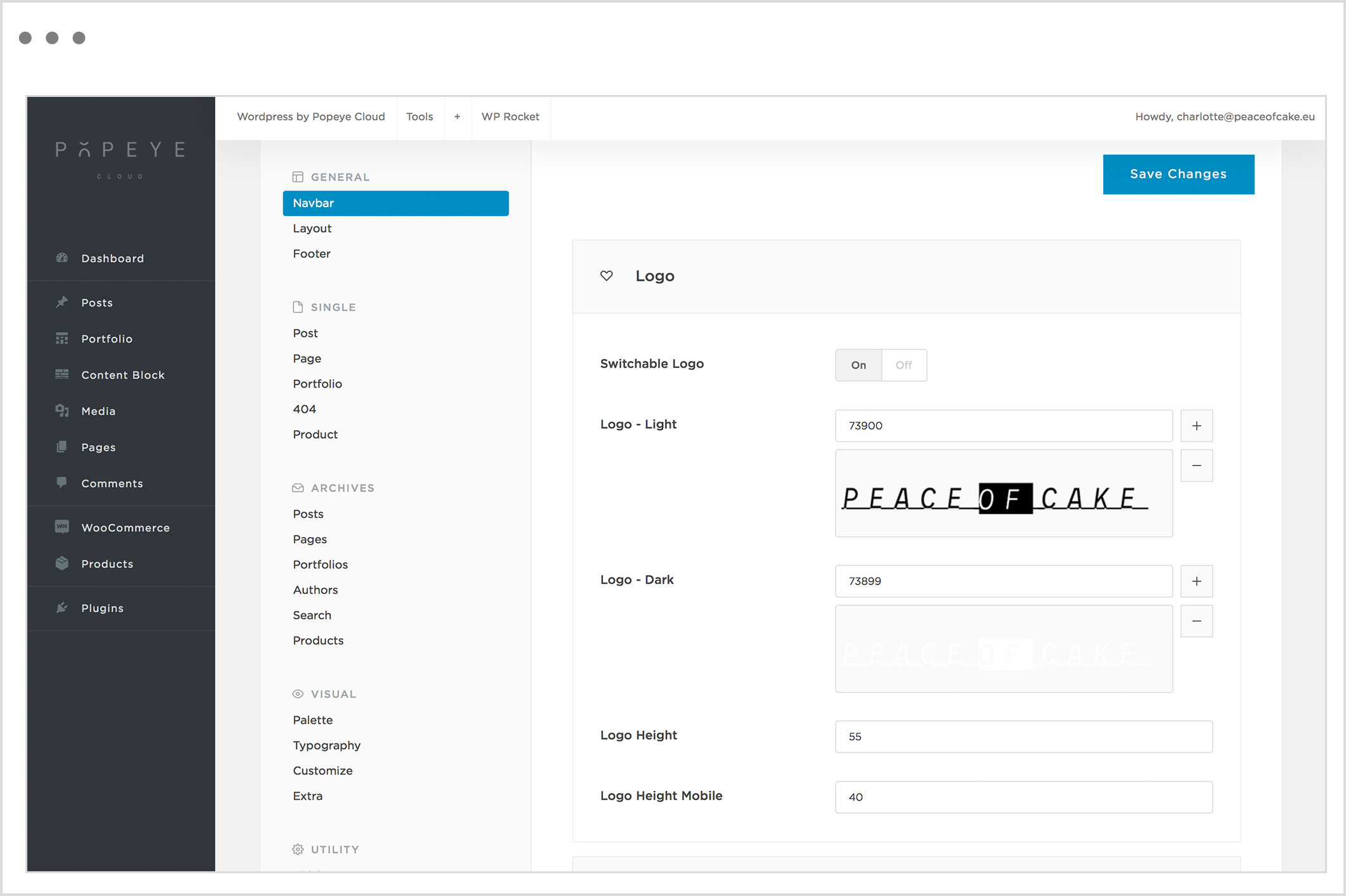
— Edit the logo of your website in the theme options.
Wordpress by Popeye Cloud -> Theme options -> navbar
-> logo
When switchable logo is activated, you have to insert 2 different logo’s (light and dark). When switchable logo is deactivated, choose the dark version of the logo.
You can upload a logo for the light skin (in case you have a light background) or upload a logo for the dark skin (in case you dark a light background).
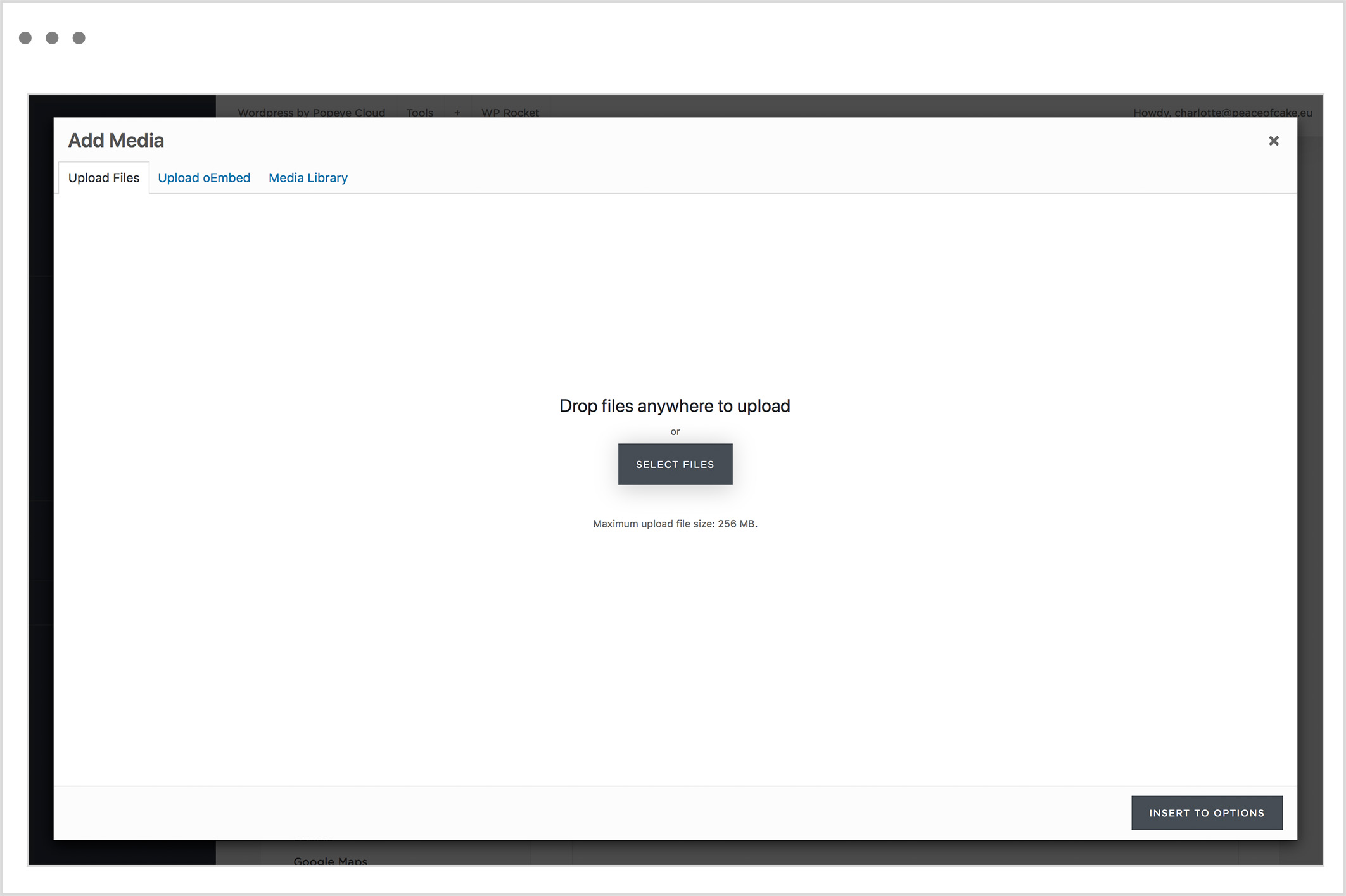
Choose the ‘+’ symbol to upload files or select a photo in the media library.
Tips 'n tricks
When you made all the adjustments, do not forget to press "save changes".
How do I add a Snazzy map?
How do I add a Snazzy map?
— With a Snazzy map you can add different locations on a Google Map overview to personalise the map.
Step 1:
Go to https://snazzymaps.com/account/register. It’s recommended to create an account so that you cannot lose your work.
Step 2:
Add your color theme to favourites:
https://snazzymaps.com/style/284872/
Step 3:
Create a map.
Go to https://snazzymaps.com/build-a-map and select your color theme from the favourites list.
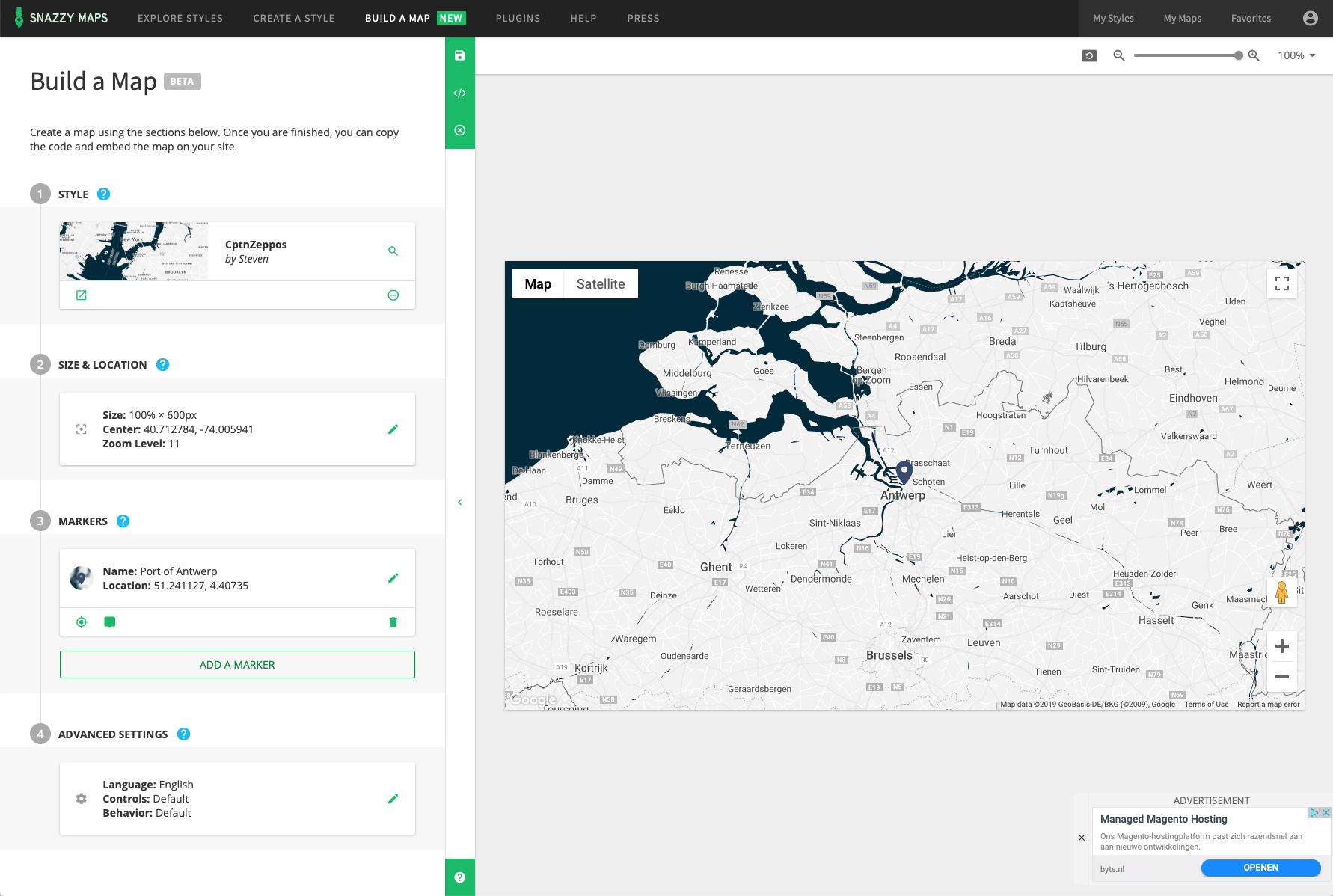
Step 4:
Size & location
Determine the size and location, set how much your map should be zoomed in when opening your site and which part of the world you want to make visible by clicking / dragging.
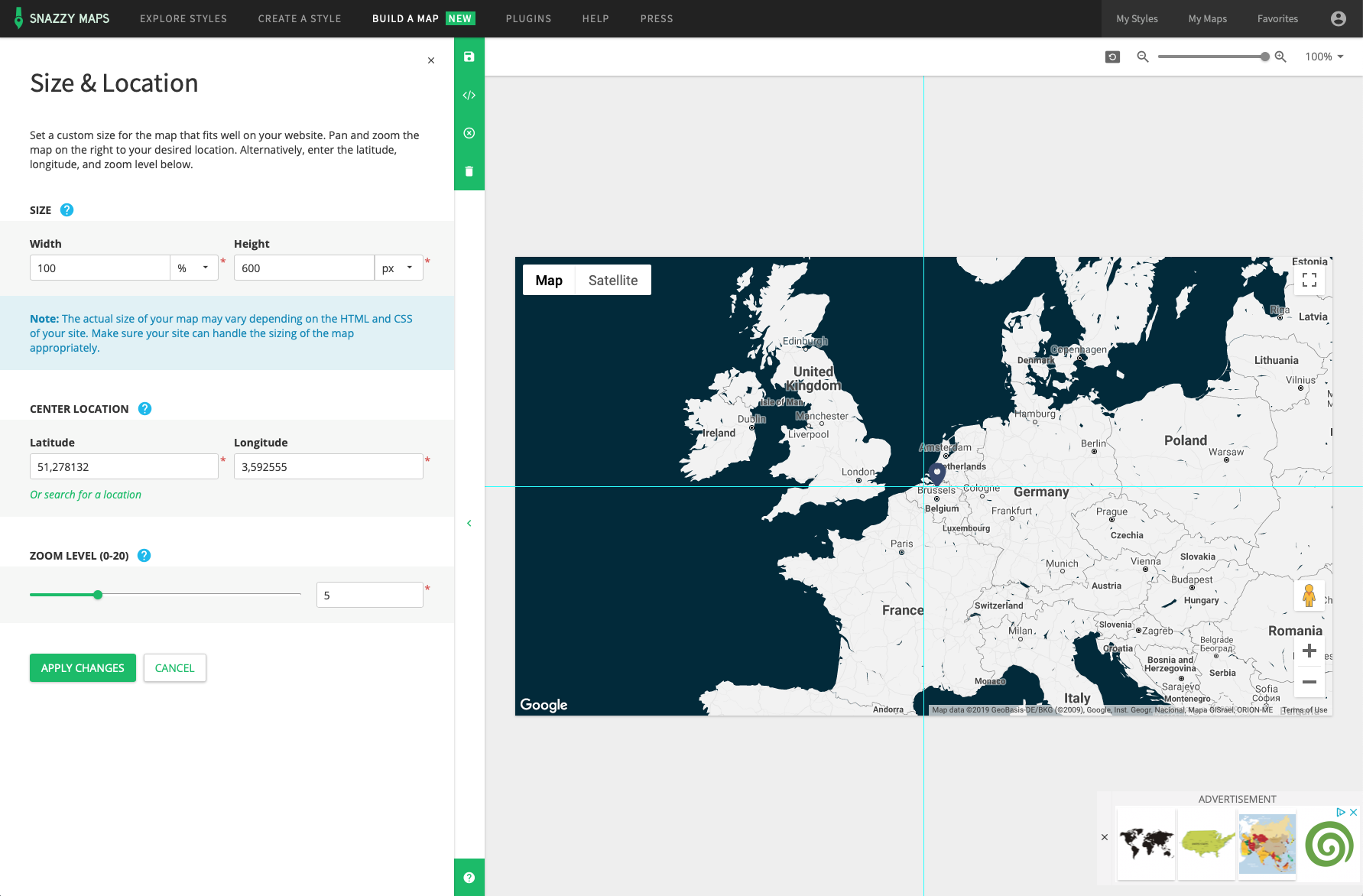
Step 5: markers
Below markers, click ‘add marker’.
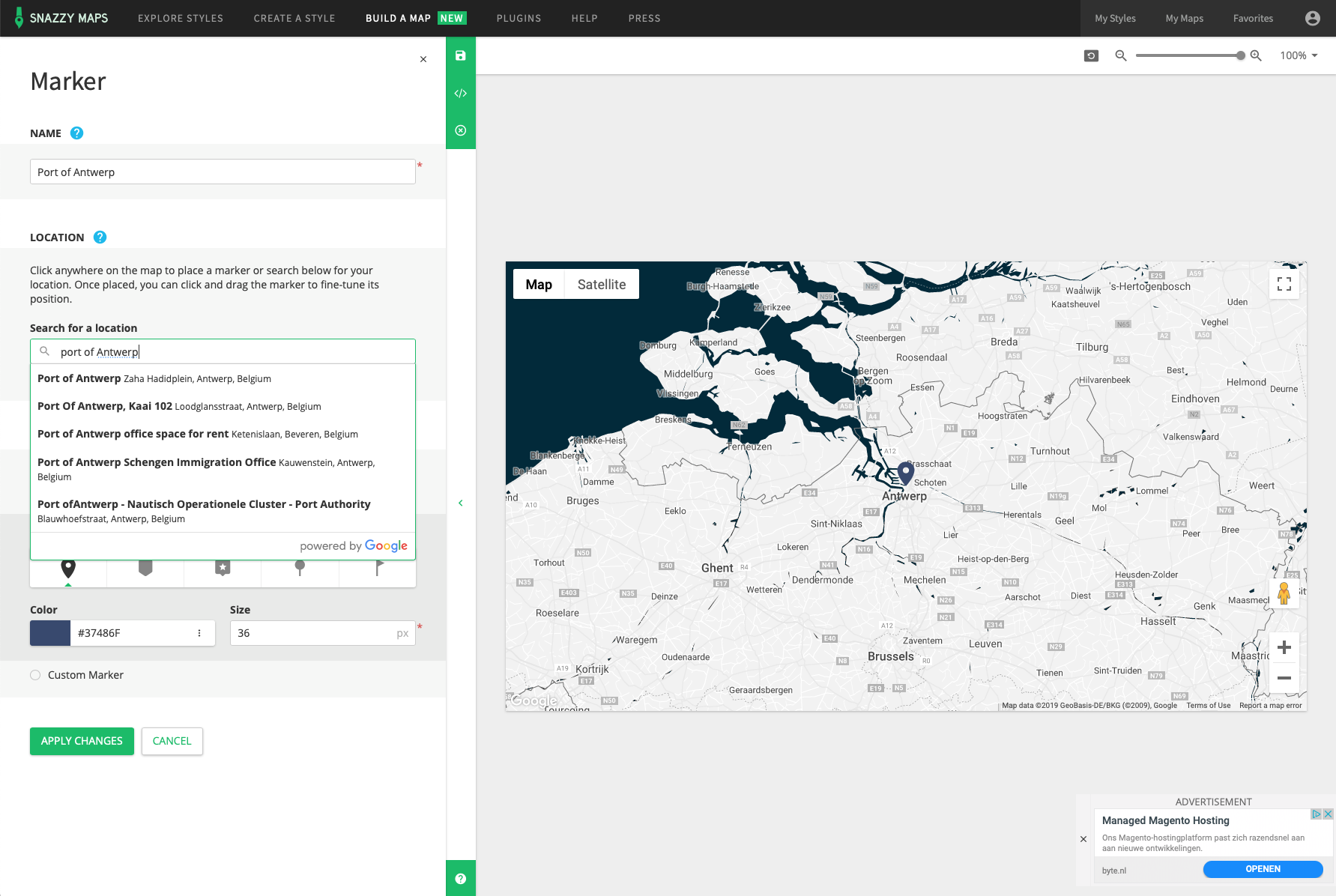
Step 6:
After your marker has been added, you can click on add marker again under the marker to add the following one.
Step 7:
When you are finished, choose ‘save map’. To use Google Maps for free on your site, you are required by Google to create an API key on https://console.developers.google.com/apis. If you want you can also use ours: AIzaSyCcHaj6WIqS58djmQX2fOgH2BwYNWHrsu8
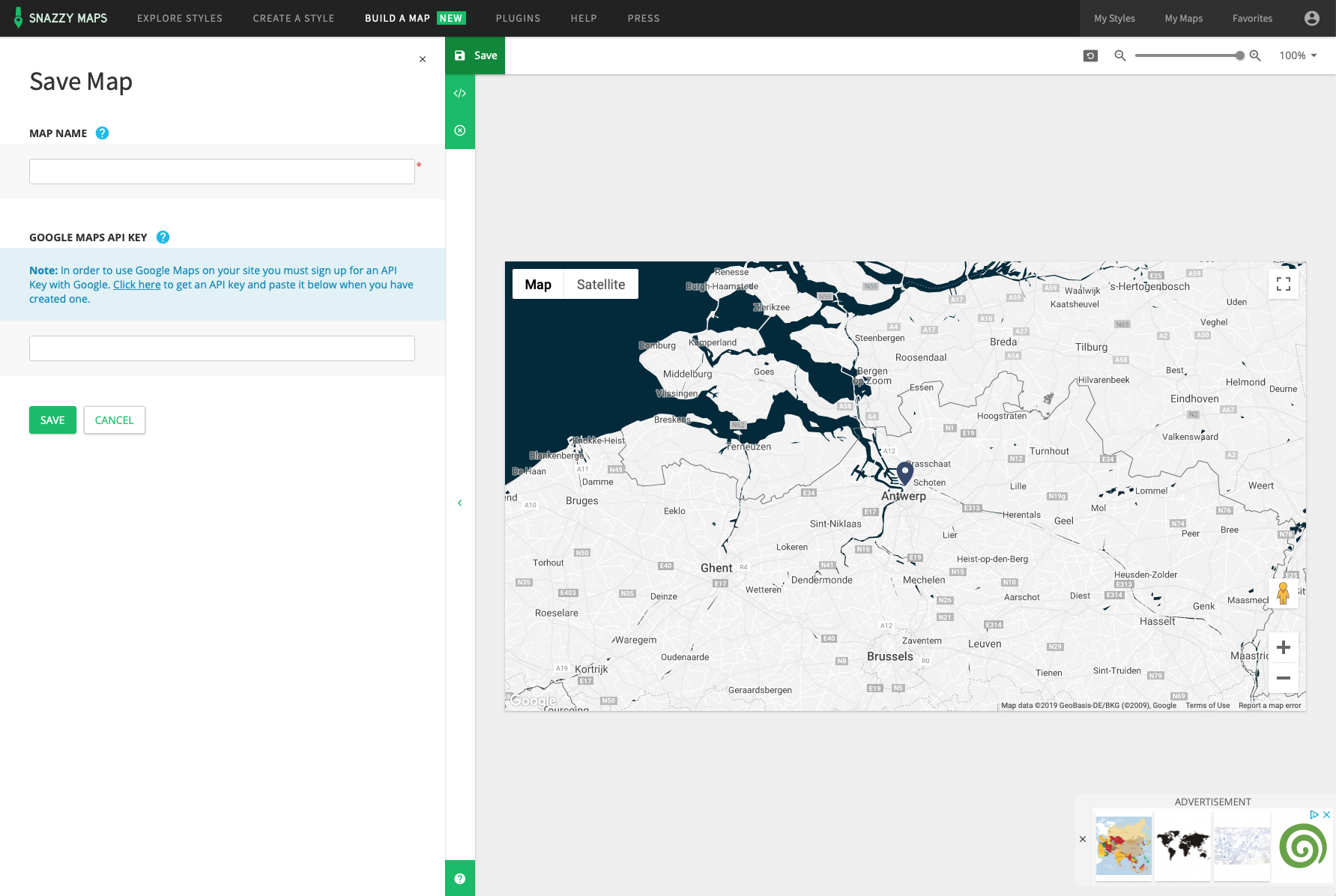
Step 8:
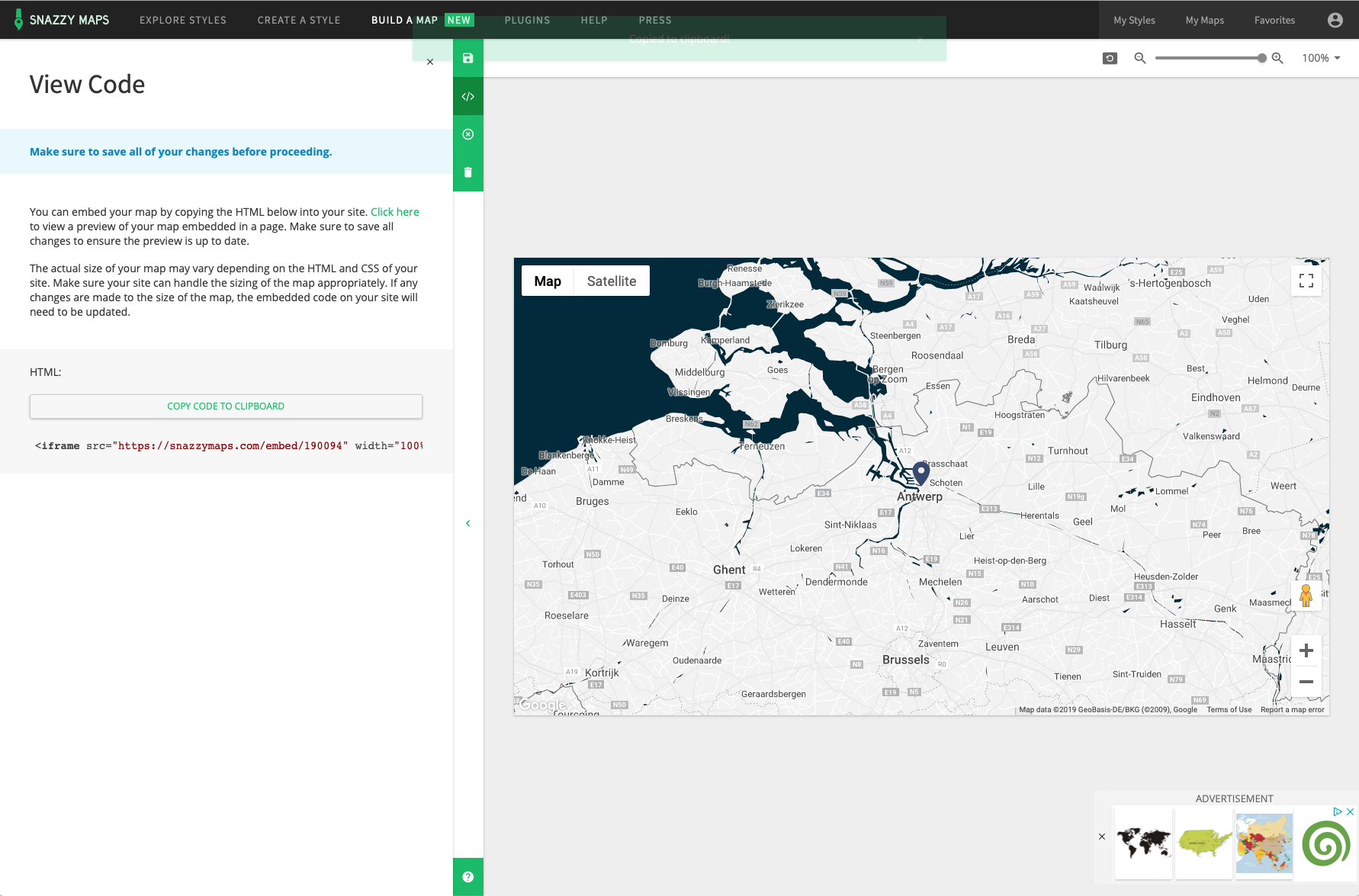
After the map is saved, you can copy the Google Maps code by clicking on ‘view code’ under the green button and then on ‘copy code to clipboard’.
Step 9:
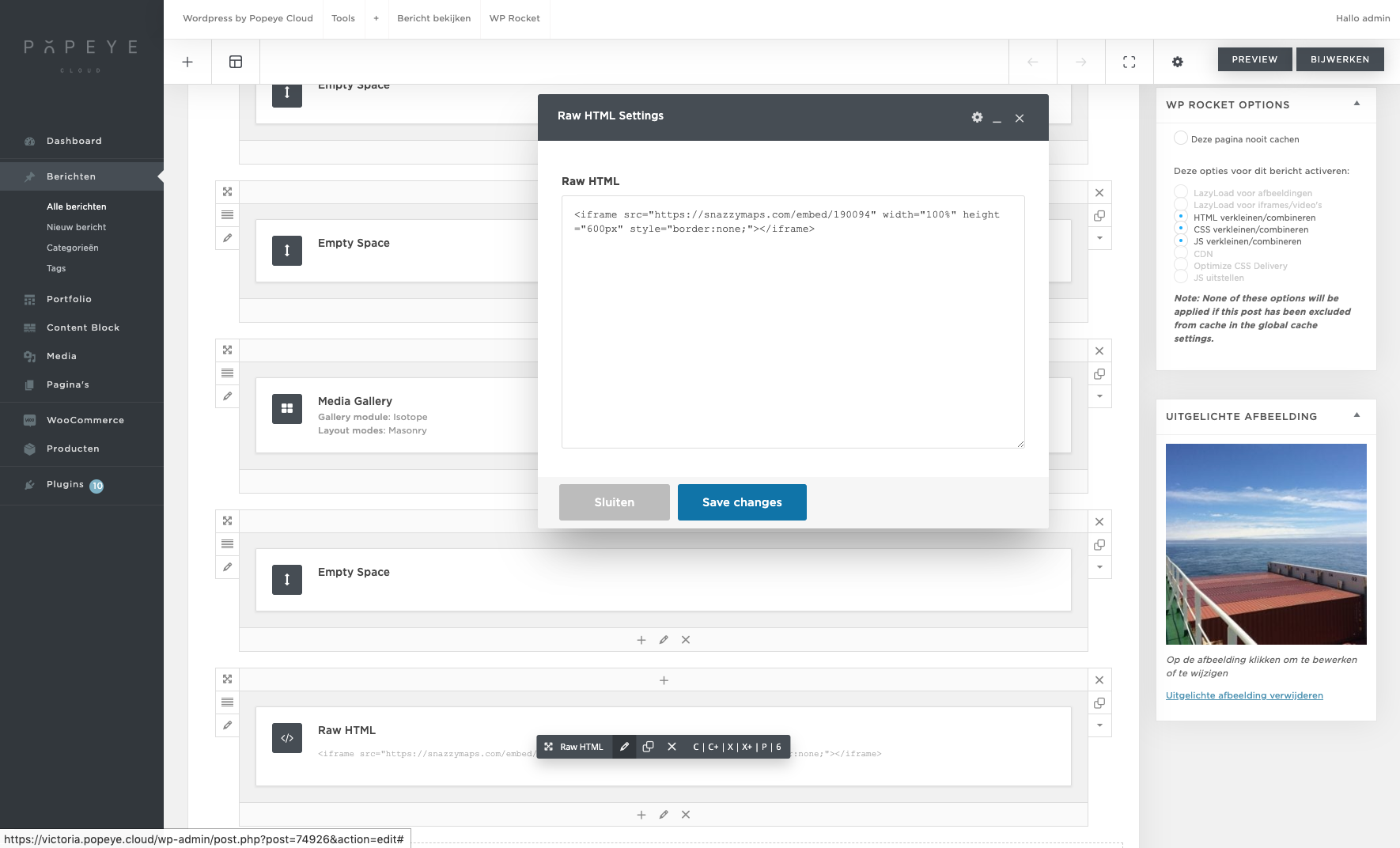
Finally, you can link the code on the page of a the location by clicking on raw html> edit (pencil) at the bottom of a trip, pasting the code and then saving it. If there is no raw html element yet, you can clink on top of ‘+’ (add element)> raw html then this will be added automatically at the bottom of the page.
Step 10:
We provided a media gallery at the bottom of each page. If you no longer want to use it because there is already a Google Map, you can easily remove it by clicking on the top right of that on X.